ATP Analytics
This page shows a series of charts, graphs and a list showing the overall analysis of files downloaded, as well as showing how many of those files triggered the advanced threat protection system. Allowing for the identification of files that have been flagged as potentially dangerous, as well as the users that downloaded those files.
Prerequisite
This feature only displays information when an ATP policy for [Web > Policy > Download File] is established, as shown in the image below.

Once this policy is enable, analytics for ATP will begin.
Statistics
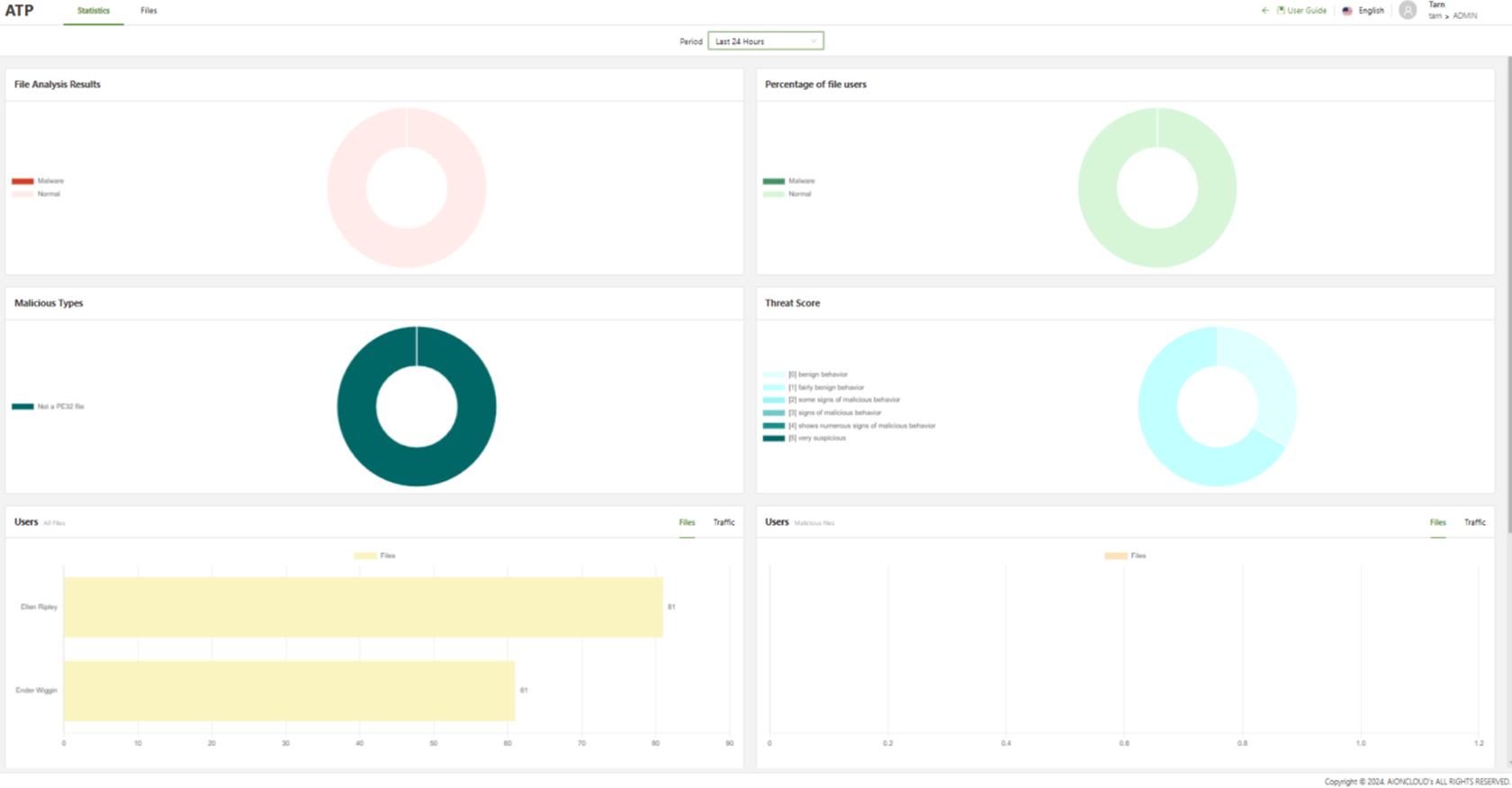
- Period: Filter the display based on the selected period of time.
Files
This section is a more in-depth look at the files that have been analyzed by the ATP system, showing the overall analysis of those files.
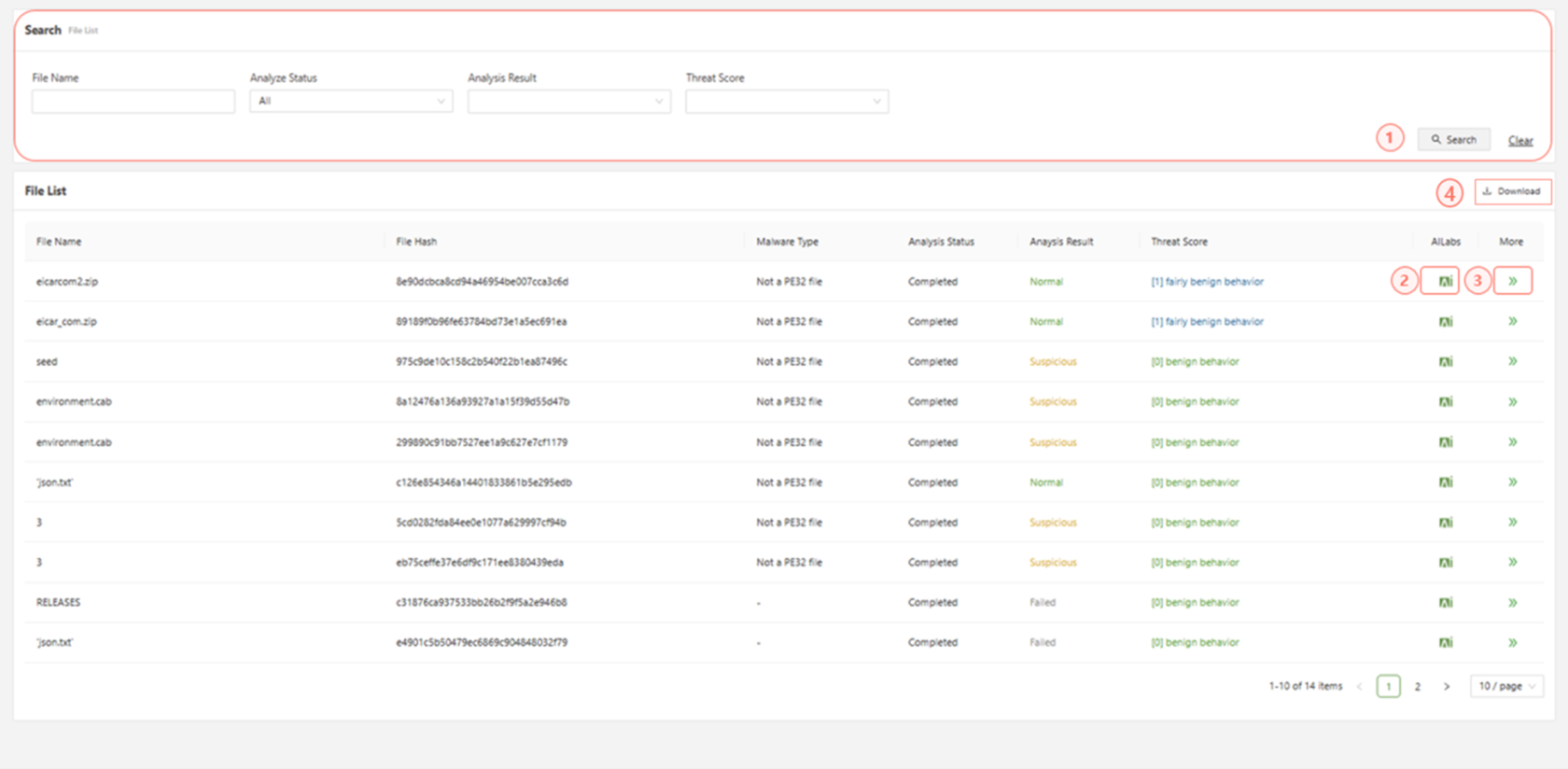
- Search: Search the file list using the specified fields.
- AI Labs: Links to the AILabs site pertaining to the specified file
- >>More: Displays further information regarding the file
- Download: Download the list of files in a CSV format.