GenAI Overview
What is GenAI?
The SSE GenAI Security feature provides inspection and enforcement for all interactions with generative AI models to prevent data leakage, misuse, and policy violations. It analyzes prompt content across sensitive categories such as financial data, PII, credentials, source code, and intellectual property, while also supporting custom keyword lists and regular expression matching for granular control. Administrators can apply actions including logging, warning, blocking, or redirecting based on detected content. In addition, all file uploads to generative AI are fully inspected, logged, and blocked when they violate policy to ensure auditability and compliance.
GenAI Menu
This page is used to configure GenAI Security policy rules and give an overview of previously created polices.
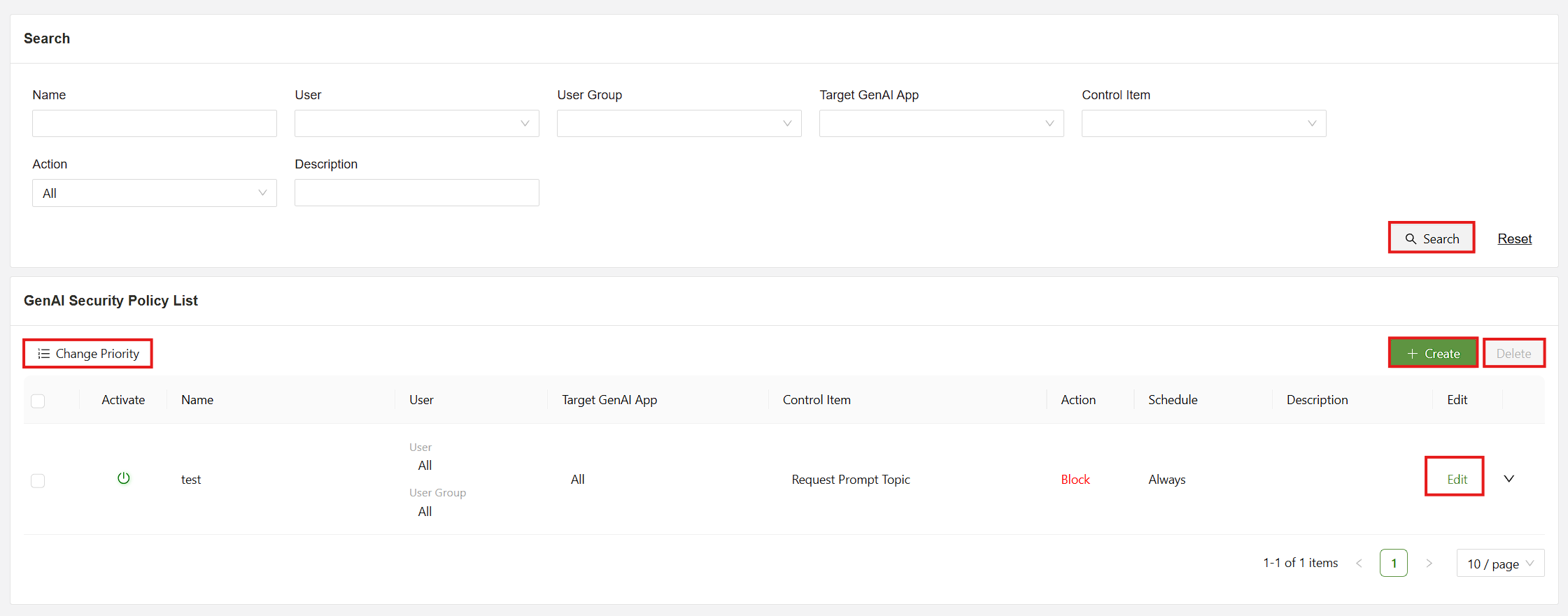
A list of the functions are as follows:
- Search - Allows the administrator to search through exisiting policies according to several parameters
- Change priority - Click this button to sort the priority of the policies.
- Create - Open the menu to create a new policy.
- Delete - Delete an exisiting policy. The policy must be selected using the checkbox to the left.
- Edit - Edit an existing policy.
GenAI Security Policy Create Menu
This menu allows the administrator to create a security policy.
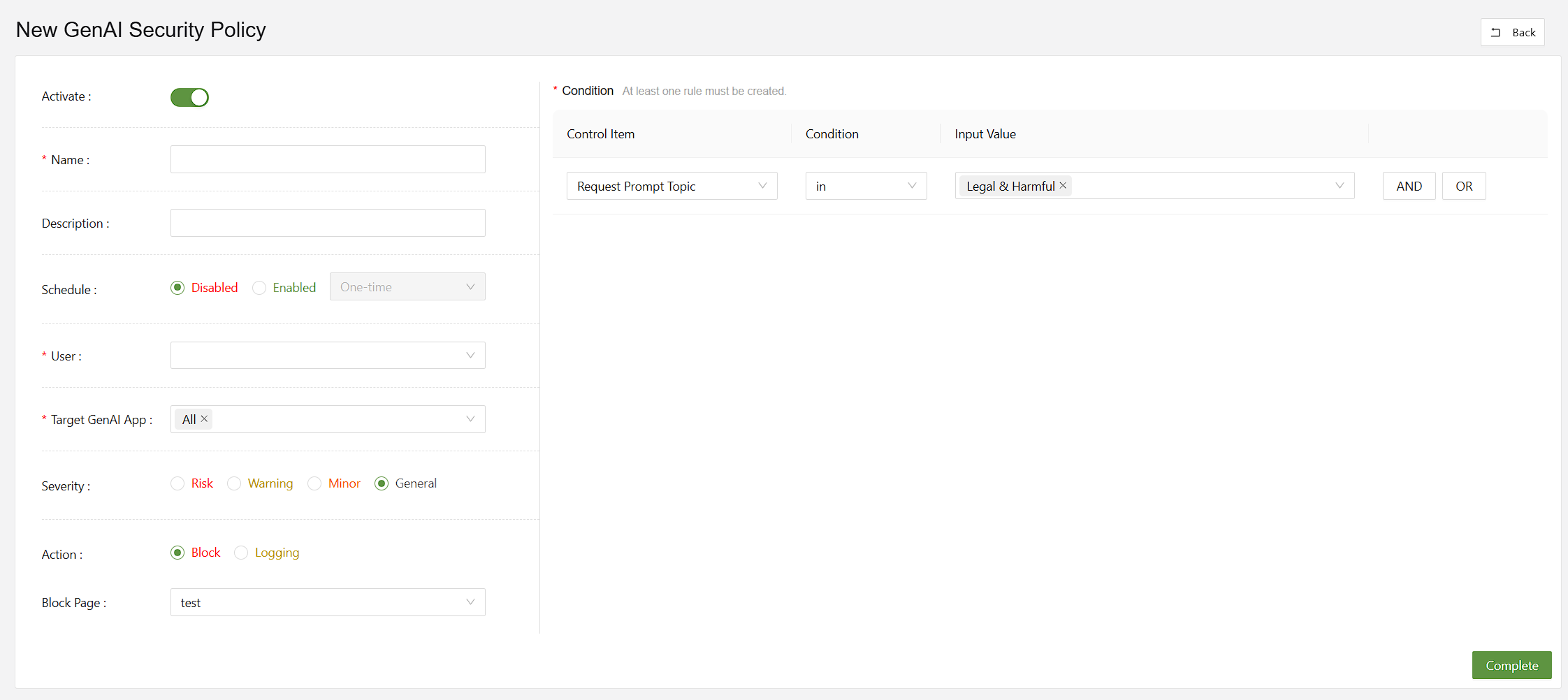
The list of functions are as follows:
- Activate - Policy on/off
- User - Choose which user the policy will target.
- Target GenAI App - Choose the GenAI app(s) to target.
- Severity - Classify how severe the log will be classified as in the SSE logs.
- Action - Set to Block or Logging.
- Block Page - Block page can be configured in Setting > Global Security > Block Page(GenAI)
- Condition- Set the condition that will trigger the rule.
- Request Prompt Topic - A set of topic categories that will trigger the block page
- Request Keyword - Enter keywords that will trigger the policy when entered.
- File Upload - Performs block and logging on all uploaded files