RBI Overview
What is RBI?
RBI, or Remote Browser Isolation, is a technology to protect users from malicious content by opening all websites within an isolated browser environment. This environment can have further rules set to it, such as adding watermarks or blocking uploads/downloads.
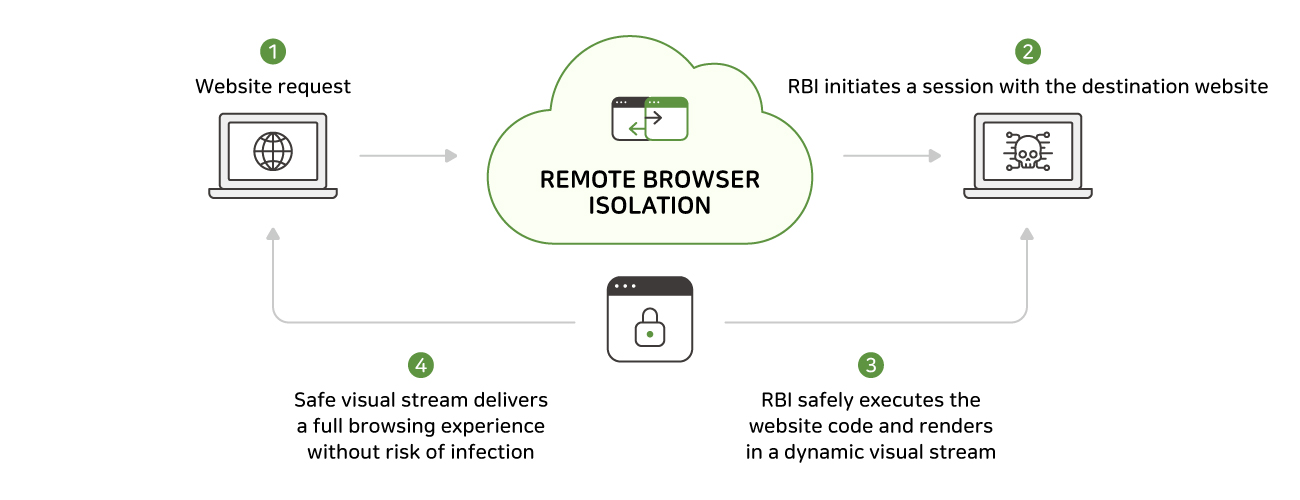
The RBI service on the SSE is a separate paid add-on to the SASE and must be activated before use.
RBI Menu
This section allows for the activation and control of the Remote Browser system implemented by the SASE. When a user access a website that triggers an RBI rule, it will automatically redirect their traffic through the RBI system. This system will then use the RBI policies to allow or deny file upload and download, protecting the users system.
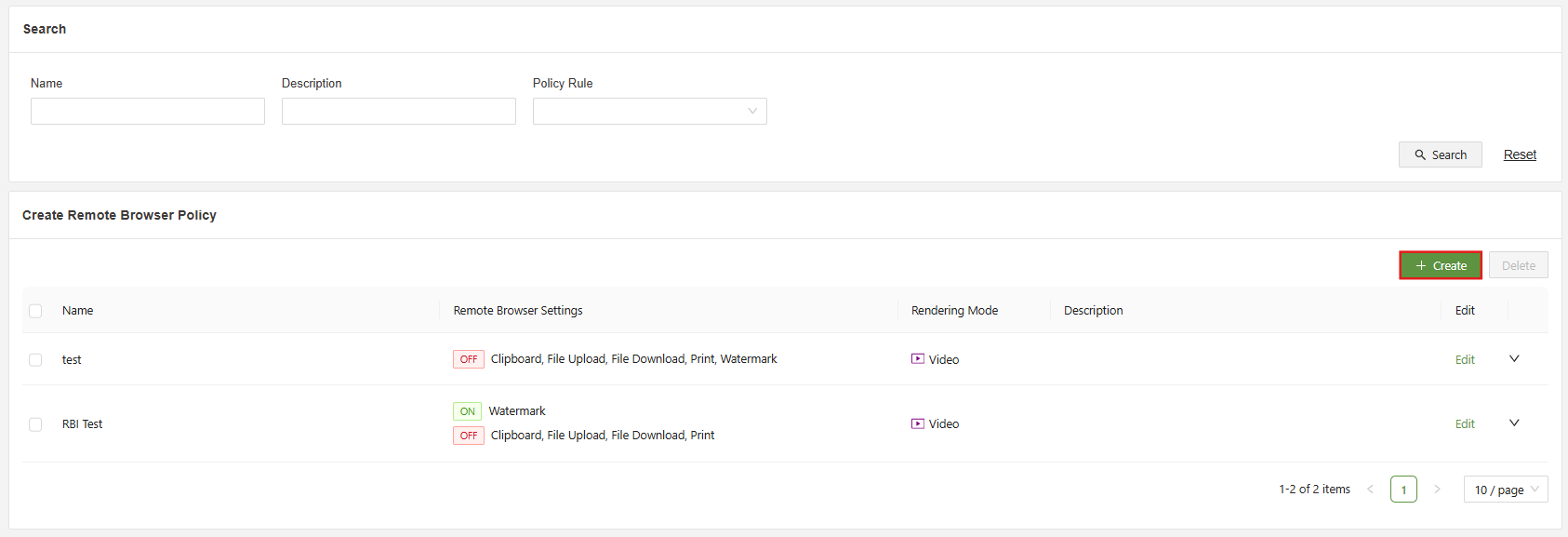
A list of RBI menu functions are below:
- Search: Filter the list of RBI policies using the specified fields.
- Checkbox: Used in conjunction with the delete button in order to delete one or multiple selected RBI policies.
- Create: Used to access the “Create RBI Policy” form
- Edit: Used to open the “Edit RBI Policy” form for the specified policy.
Create RBI Policy Menu
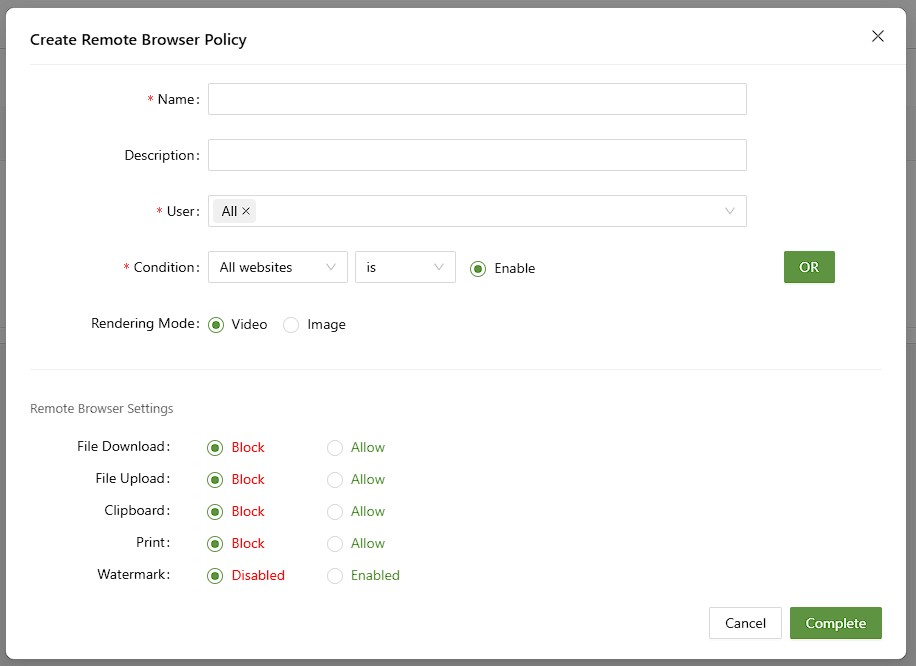
- Name (Unique): A unique identifier for the new RBI policy
- Description: A short description of the policy and its purpose
- User: Choose which users the rule will apply to
- Rule: The policy will apply when the rule conditions are met
- Rendering Mode: Set the rendering mode to video or image. Video will result in higher performance but will consume more data. Sound will not be played when using Image rendering mode
- RBI setting: Select the specified settings when the rule conditions are met by blocking or allowing, downloads, uploads, clipboard, printing, or using a watermark
Common Setting
The RBI has a menu that allows for creating settings that will apply to all RBI rules.
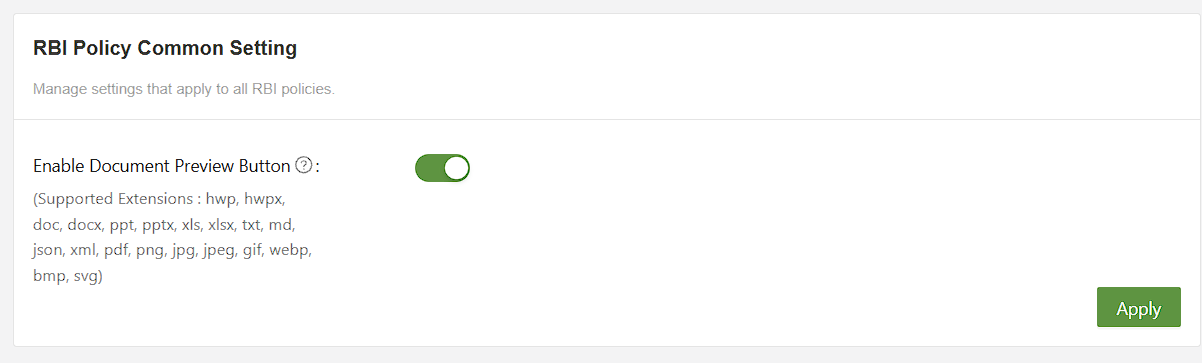
Enable Document Preview Button- Enables a button that allows for safe preview of files before downloading