App Analytics
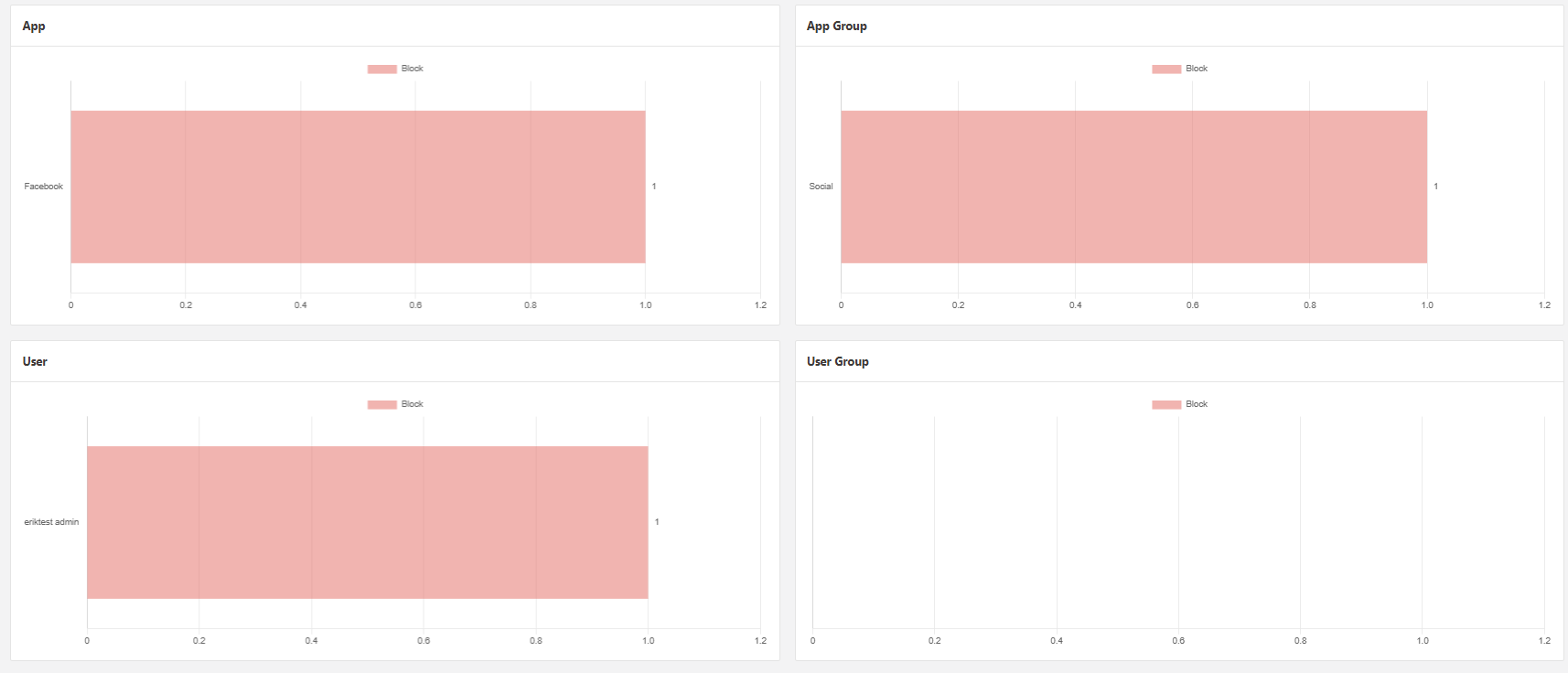
This page consists of two sections, the first displays general statistics regarding the usage of Apps over the specified period of time. The second gives an overview of the number of block events broken down into different groups over the specified period of time.
App Statistics
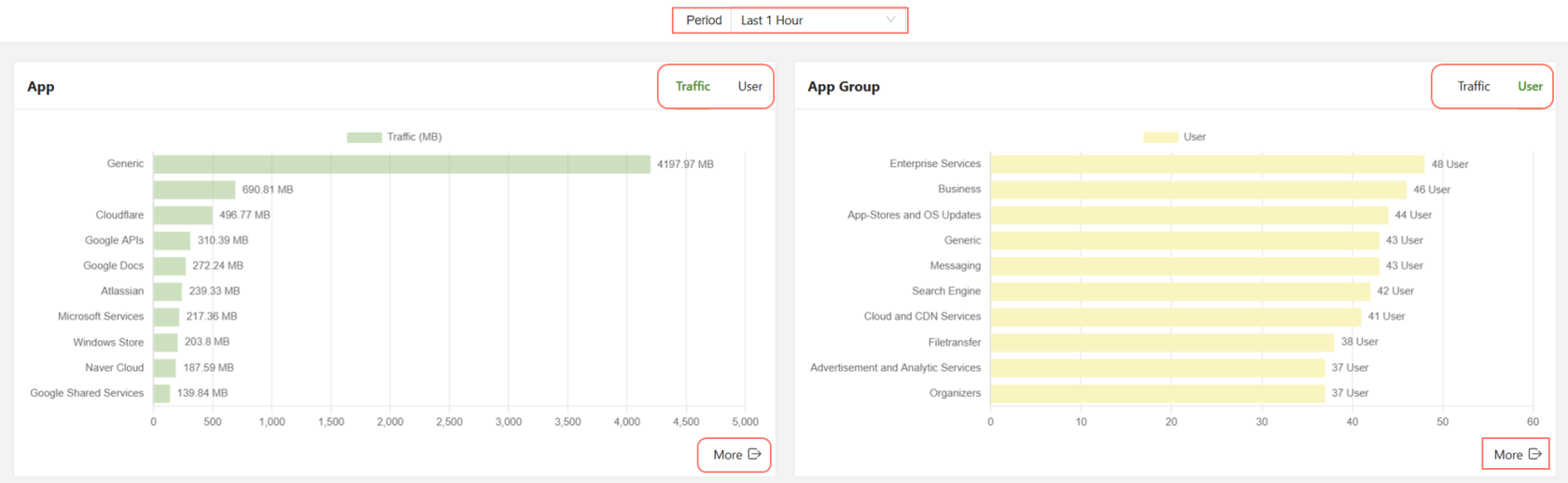
The Statistics page will show App and App group information, categorized by either Traffic or User. Simply click the item labeled Traffic or User to swap between the two.
- Period: Filter the display based on the selected period of time.
- Traffic/User: Change the graph to display traffic usage or number of users.
- More button: Displays a full graph of all Apps or App Groups and their usage.
The Traffic tab will show traffic by app or app group, by MB, and the User tab will show the app or app group by amount of users using the service over the time period specified.
Clicking on the More button below the graph will display a full list of all apps/app groups, not just the top 10.
App Group Info
Scrolling further down, there is more information available on App Groups.
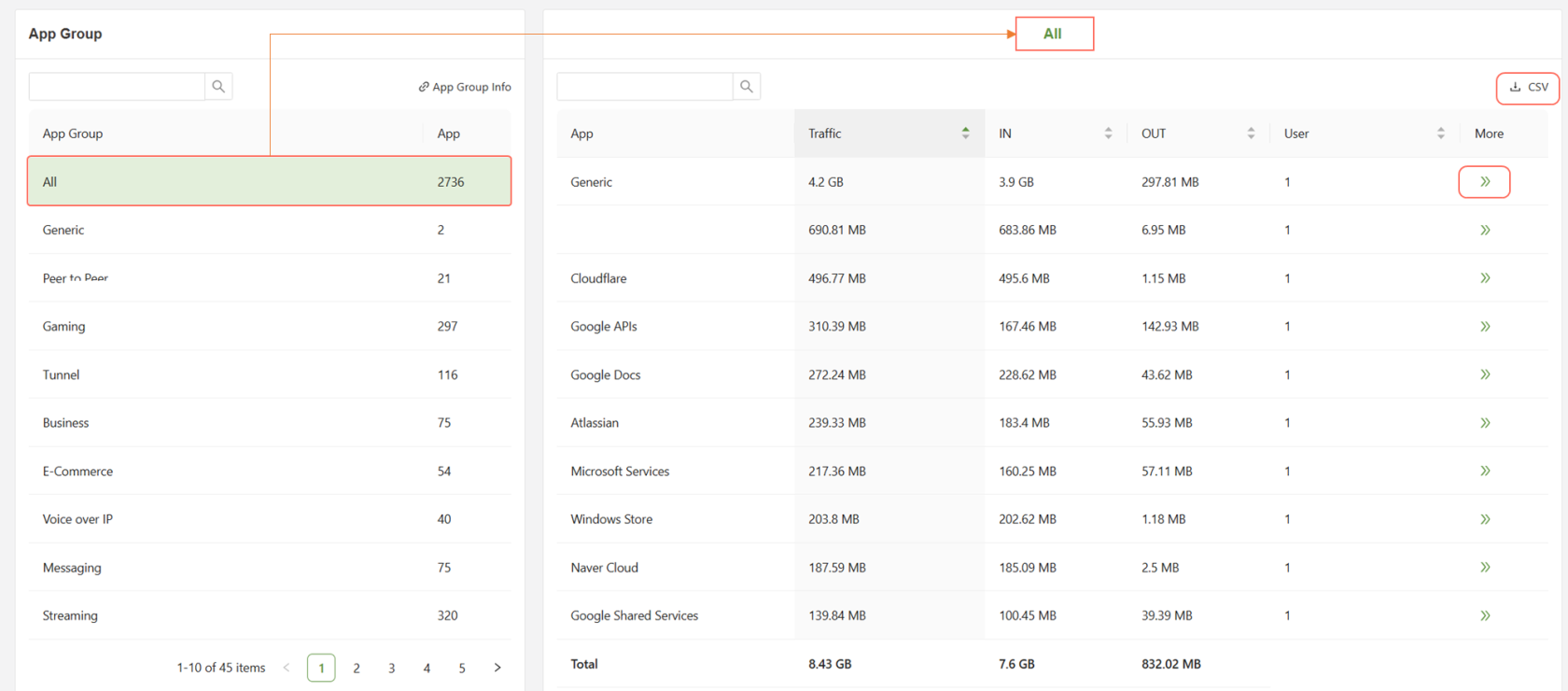
On the menu on the left side, any of the App Groups can be selected and it will reflect analytics for the top apps being used in that group on the right hand side.
The CSV button will allow the data to be downloaded as a CSV file, while clicking the More button for a specific app will open a more detailed app analytics menu, shown below.
Specific App Analytics
The application will have a short description followed by general information, and the traffic and user data will be presented.
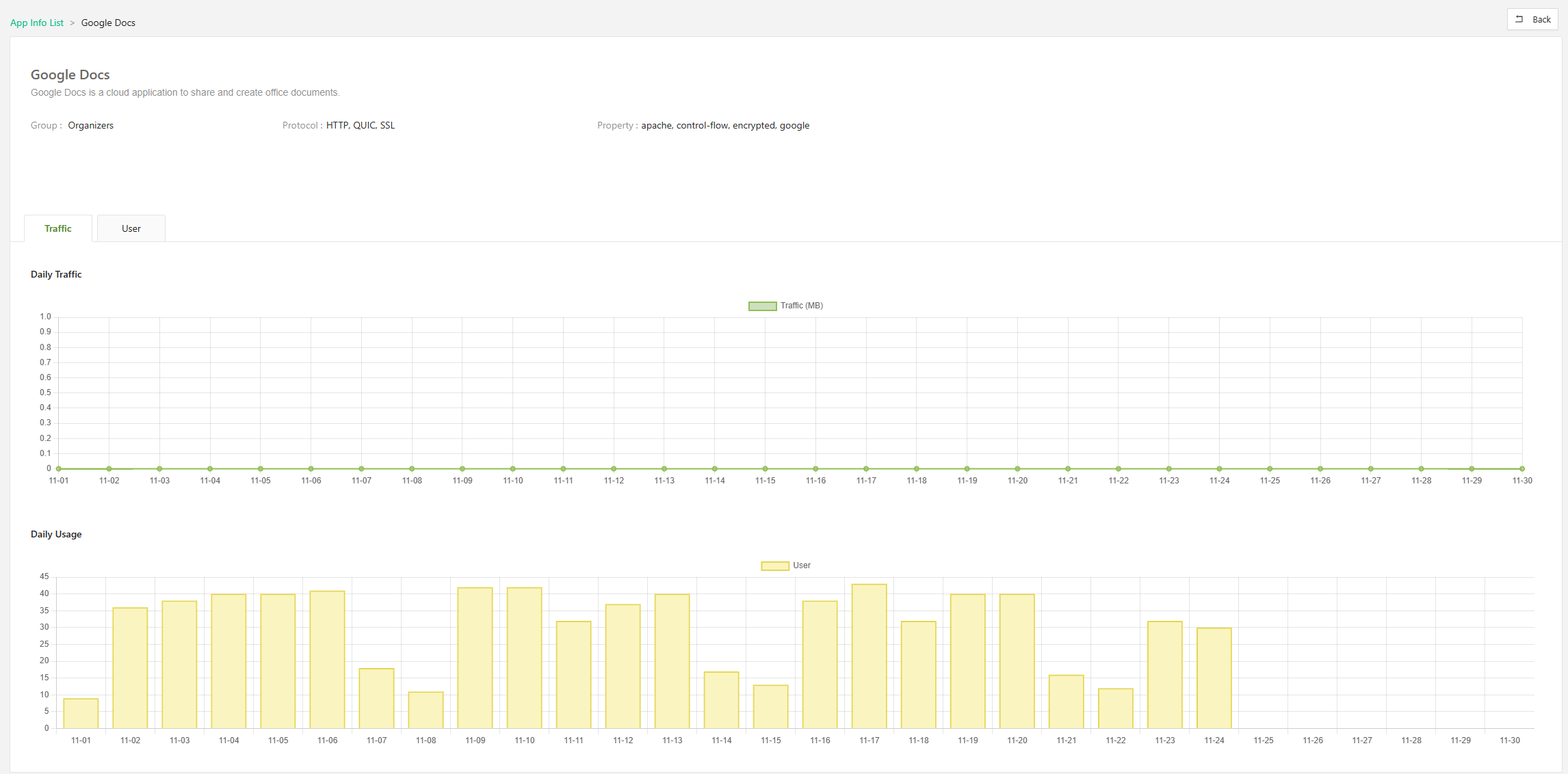
The Traffic tab provides basic information regarding the daily usage of the specified application for the current calendar month.
The User tab shows a list of the names of the users who have accessed the application and the amount of traffic the user has sent over the past calendar month for that service.
Block Event
The block event page shows a variety of graphs displaying the top 10 block event count broken into the four main groups, Application, Application Group, User, and User Group.