User Groups Overview
This section is used to create and edit User groups. These groups are used to apply policies to multiple accounts more easily.
User Group Menu
The user group menu allows for the management and creation of user groups from existing users.
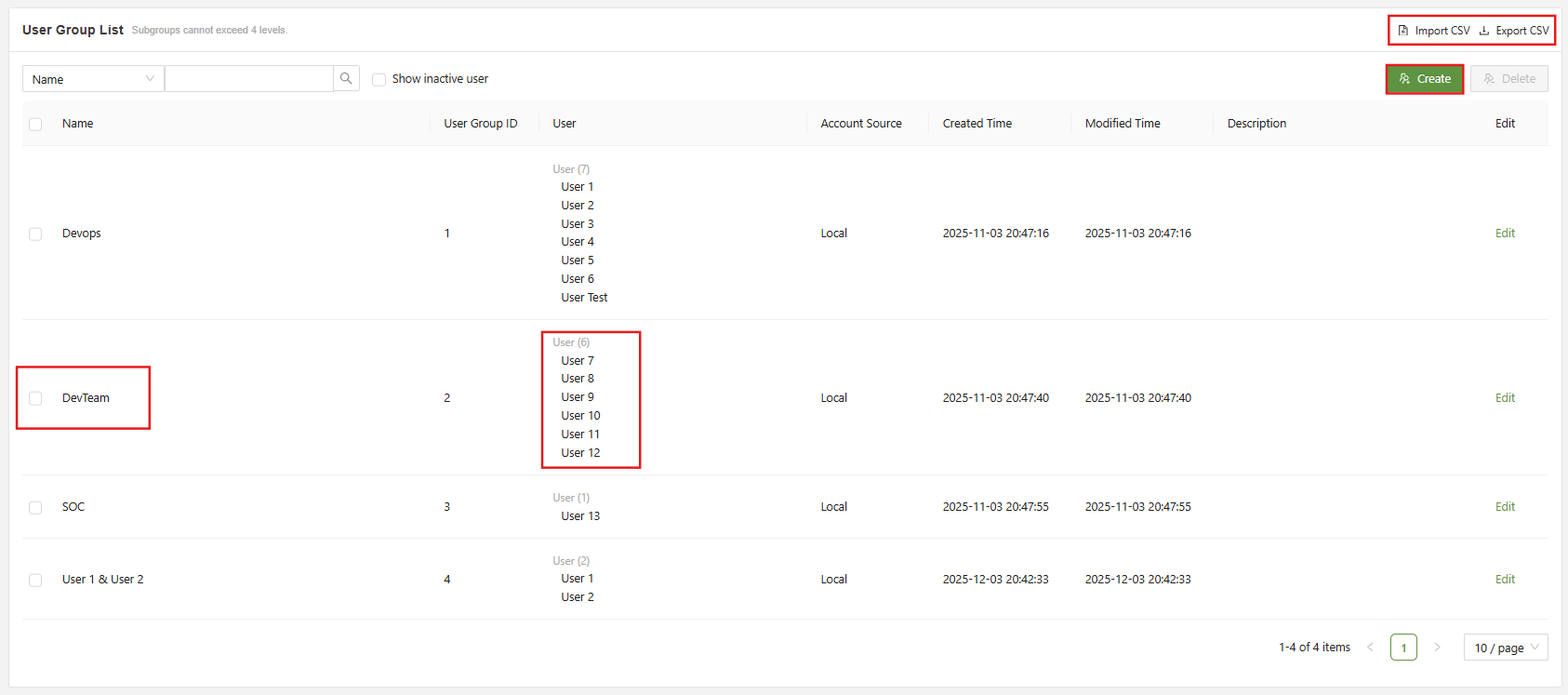
Below are the main functions of this page:
| Search | Used to filter user groups using the available filter fields |
| Checkbox | Used in conjunction with the delete button in order to delete one or multiple selected user groups |
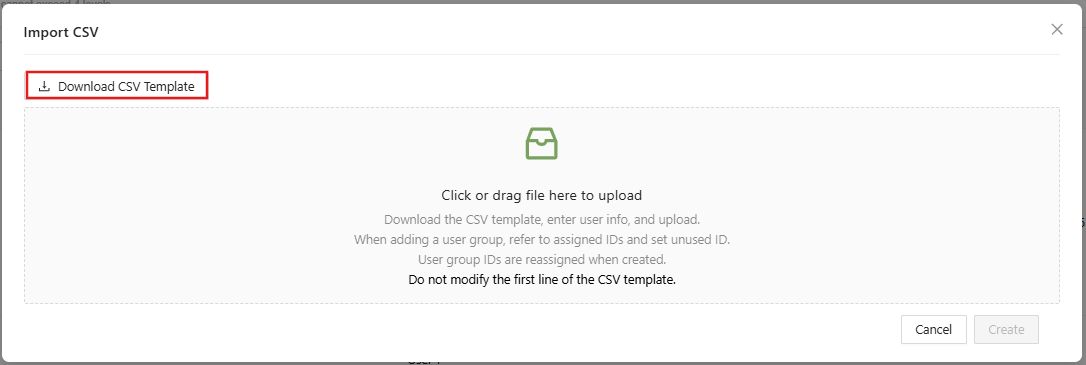
| Import CSV | Used to access the Import User Group function |
| Export CSV | Used to export all user groups information as a CSV |
| Create | Used to access the “Create User Group” form |
| Edit | Used to access the “Edit User Group” form, which has similar fields to the create user group form |
If uploading user groups via CSV file, make sure to reference the CSV template to ensure it matches the correct parameters for upload.