User
User List
This is section is used to view and create user accounts, which are required to connect to the Connector service.
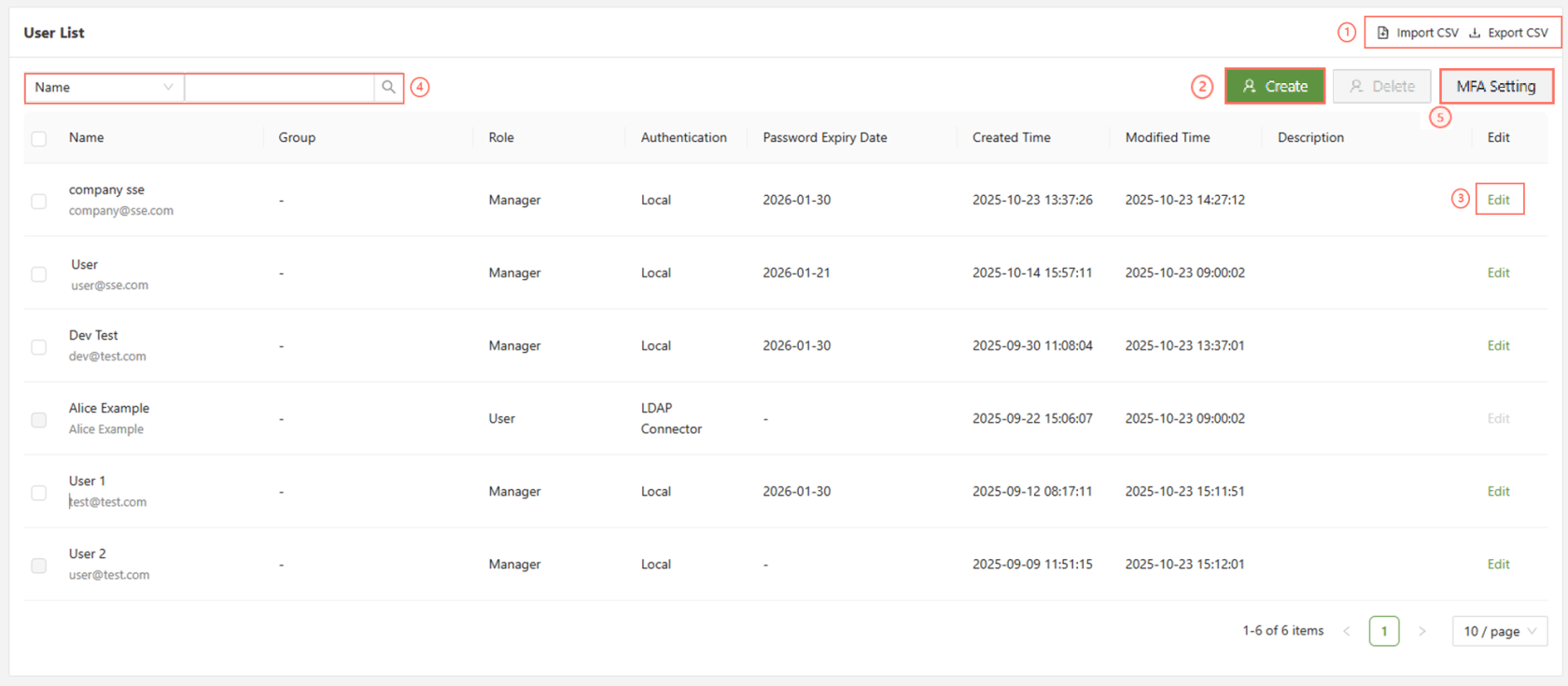
There are various functions available on the User list menu:
| Import/Export CSV | Allows for the import of a csv file to populate the user list, or the export of the current user list to a csv file |
| Create | Create a new user/manager |
| Edit | Edit a current user |
| Search | Search the current user list by any of the parameters |
| MFA Setting | Opens the MFA settings form to create and modify user Multi-Factor Authentication. |
When looking at the user list, various information will be available:
| Name | The first/last name assigned to the user, as well as their login email |
| Group | Which, if any, user group(s) the user has been assigned to |
| Role | Manager or User. Managers have many more rights and responsibilities in the console |
| Authentication | How does the user login • Local - User was created locally in the user menu • LDAP Connector - User was imported via LDAP connector • Entra ID(Azure AD) OIDC - User was imported via Entra • OKTA - User was imported via Okta |
| Password Expiry Date | If set to enabled in the user settings, this will display when the users password will require a reset |
| Created Time | When was the user created/imported |
| Modified Time | When is the last time the user information was modified |
| Description | The custom description for the user |
CSV Import
When importing a user list over CSV, be sure to ensure that it complies with the required structure.
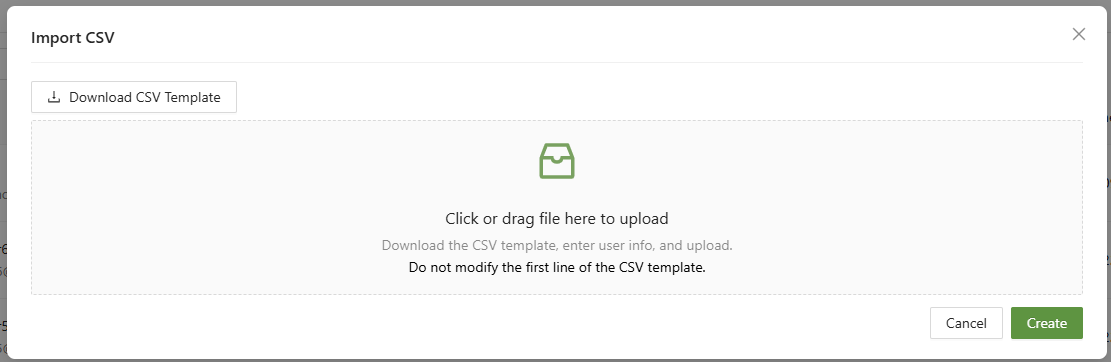
By clicking on CSV import, the option will be presented to download a template to use.