MFA Configuration
This section is used to enable/disable multi-factor authentication, as well as assist with resetting accounts that have lost access to their accounts.
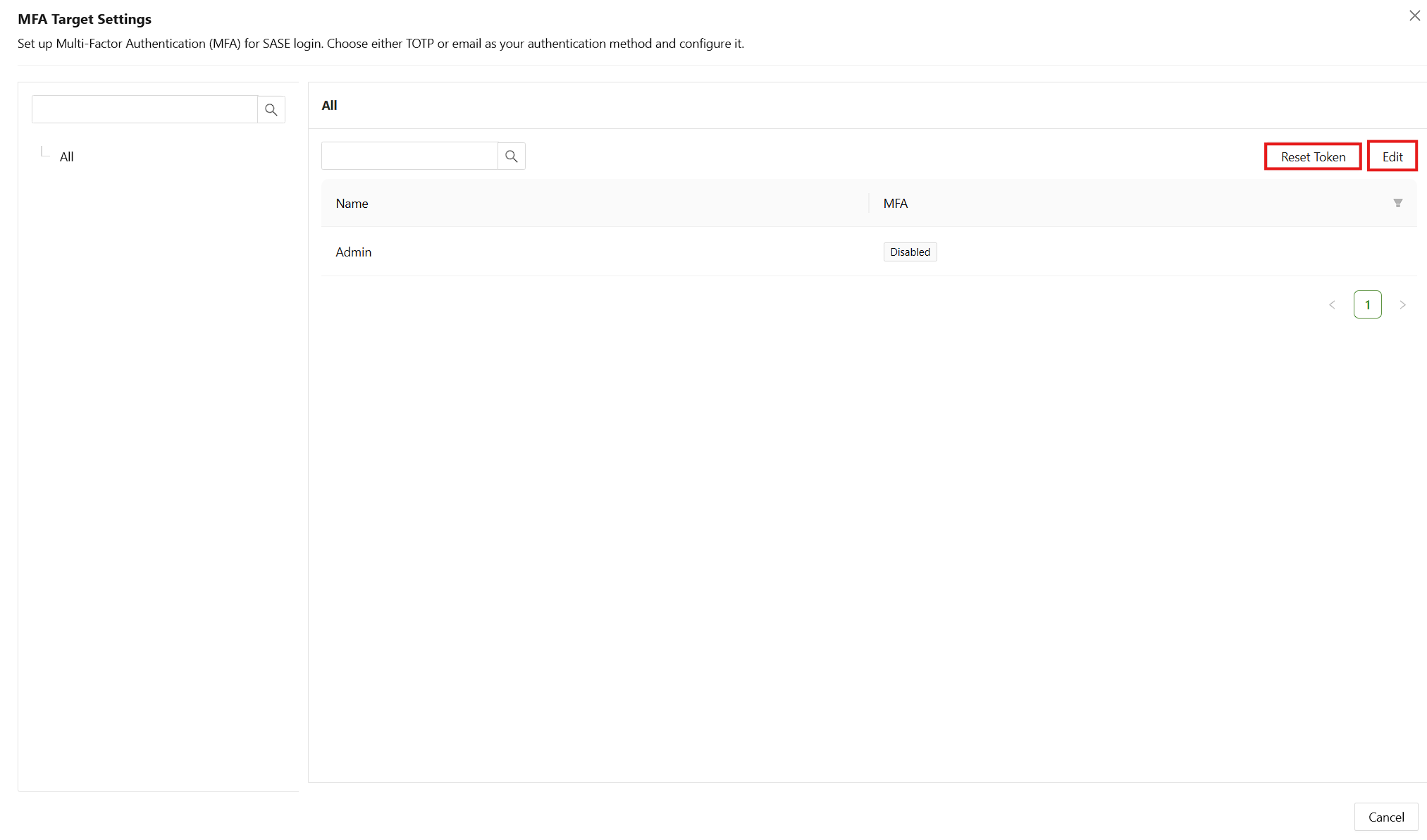
- Search: Show only target users or user groups using the check box, or search for a specific user or user group.
- Reset Token: Used in conjunction with checkboxes to reset the token of the selected users or user groups.
- Edit: Used to enable the edit mode that activates other interface options.
Edit Mode
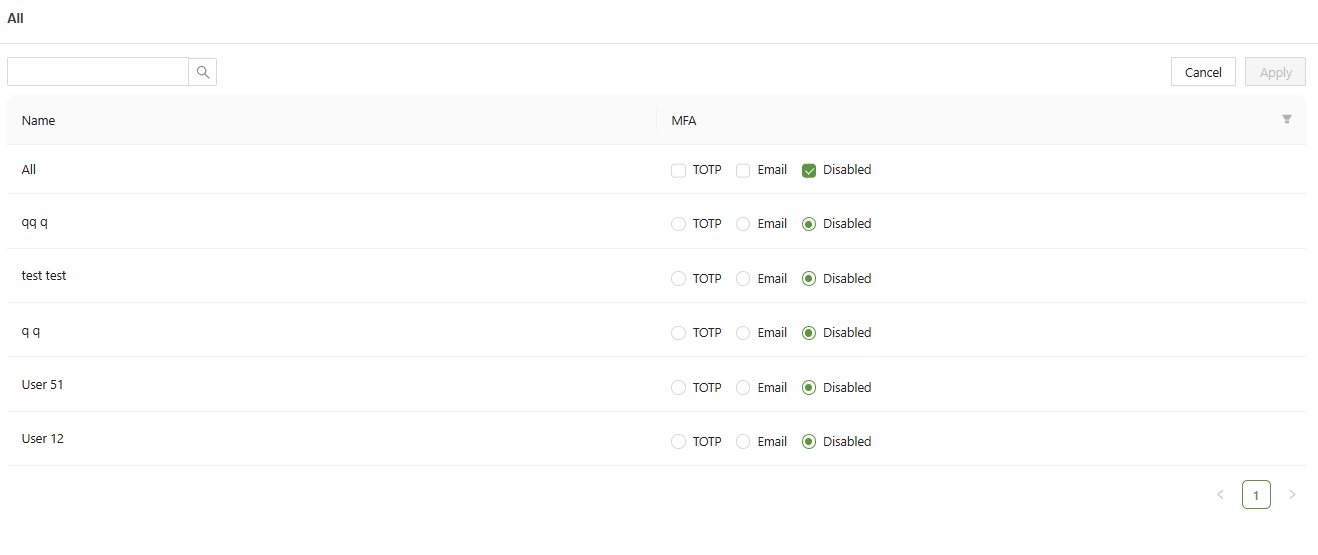
- Apply: When "Edit Mode" is enabled, "Edit" changes to “Apply”, used to save changes.
- Cancel: When "Edit Mode" is enabled, "Reset Token", changes to "Cancel", used to exit edit mode.
In the MFA menu, there are 3 main options:
- TOTP: Time-based one-time password
- Email: An authentication email sent to the account
- Disabled: No MFA
TOTP
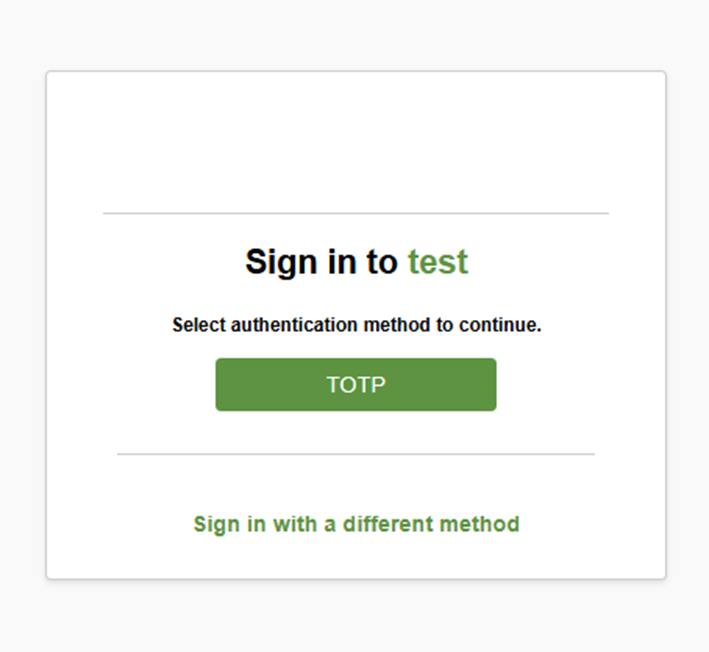
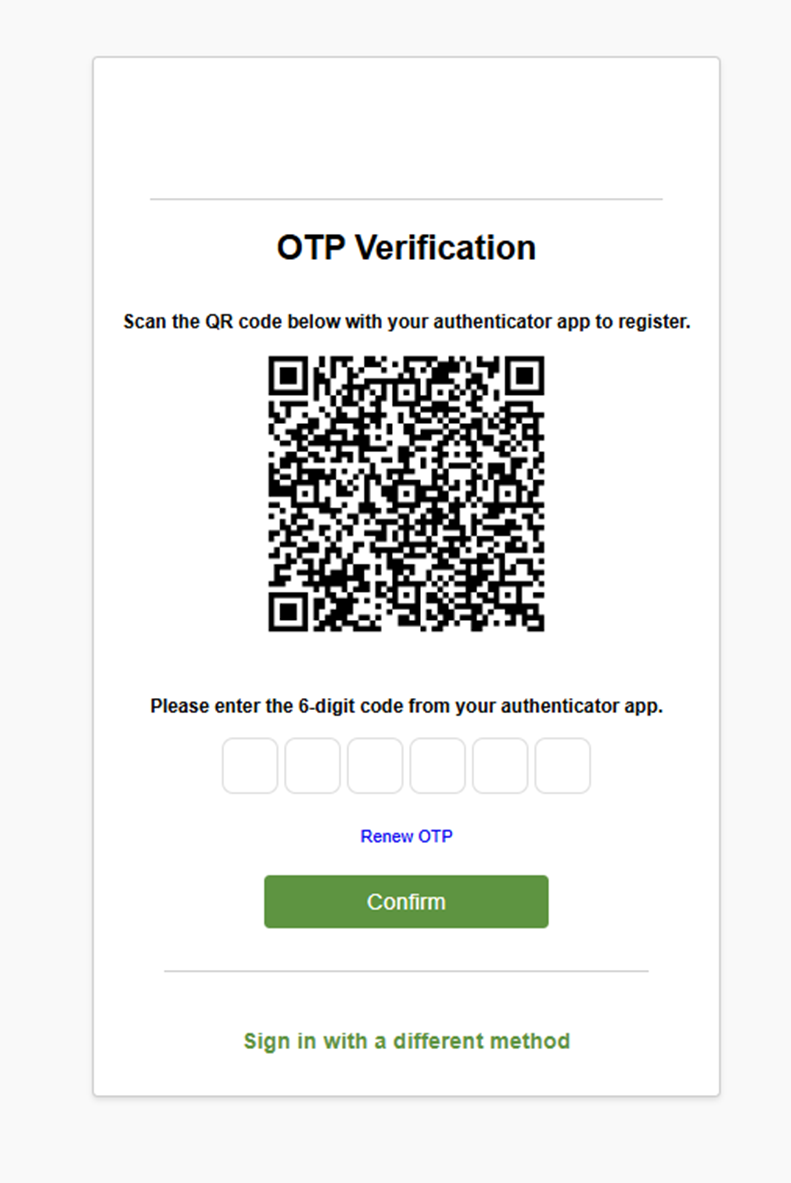
When selecting TOTP, this will cause a different menu upon log in: