Access Policy
Access Policy Overview
This section is used to create more flexible access policies to apply to the Access Control rules from the previous section. Where the Access Control is limited to only users, the Access Policies can utilize a combination of IP addresses, Time, Geolocation, browsers and operating system to create more complex conditional rules to allow or block users from accessing ZTNA tunnels.
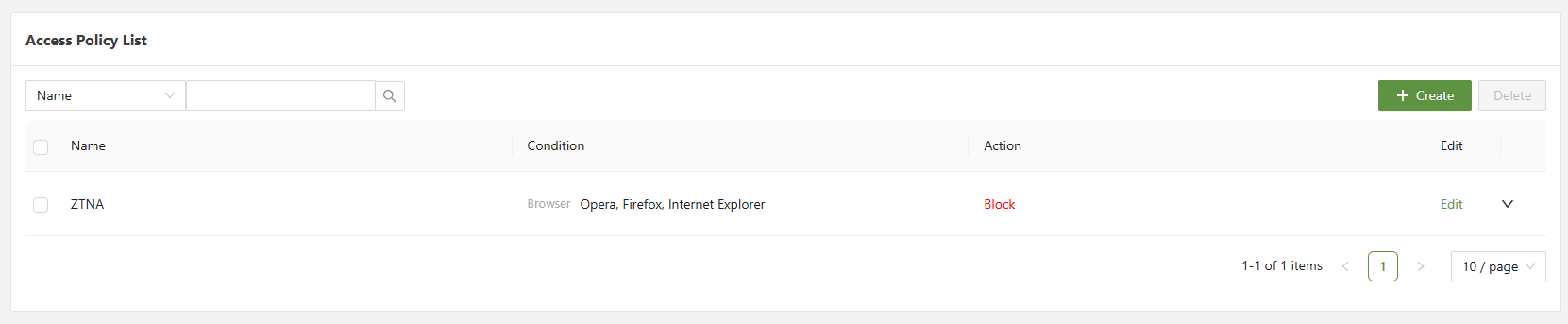
The following information is provided to give guidance on the purpose of each section:
| Search | Allows for filtering of the different Access Policies based on a variety of different fields |
| Checkbox | Used in conjunction with the delete button in order to delete one or multiple selected policies. |
| Create | Opens the create menu in order to create a new access policies. |
Configuring Access Policy
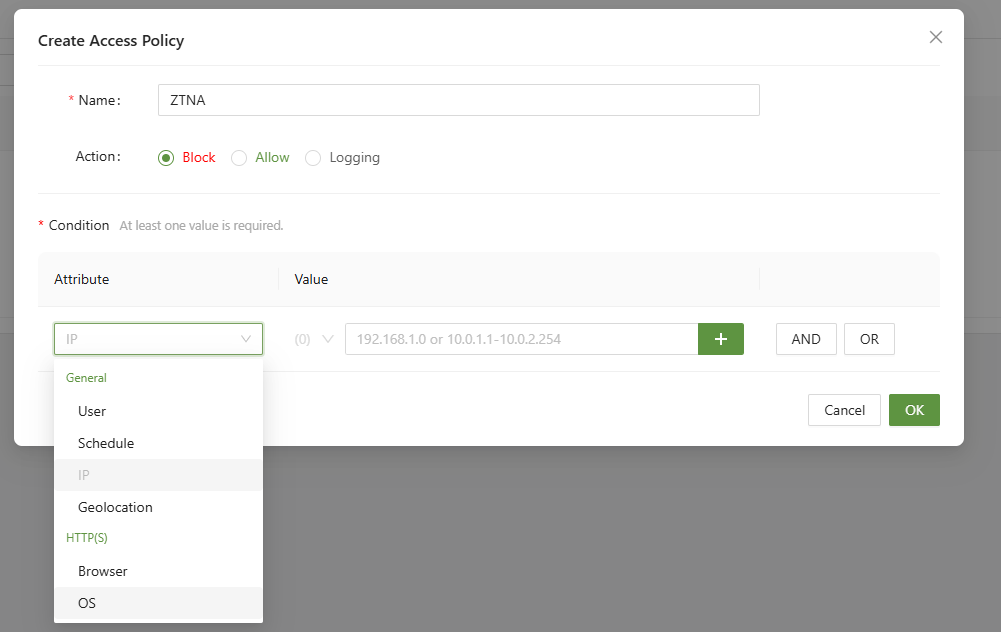
The following information is provided to give guidance on the purpose of each section:
| Attribute | Attribute information | Value Information |
|---|---|---|
| User | Determines which users will be affected by the policy | Select from a list of all possible users, the list is separated into user groups |
| Schedule | Sets a single or reoccurring start and end time (Based on time zone) for the policy to be active during. | Select the date/day, time in hours, minutes sections for both the start and end time. |
| IP | A list of IP addressed, using the in condition, if the IP is on the list it will have the rule applied | Must be in a valid IP address format between 0.0.0.0 - 255.255.255.255 |
| Country | Using Geolocation information checks the location of the user in order to apply the condition | Select from a list of all possible country locations. |
| Browser | Using the browser header information, checks the browser type to check as a condition | Select from a list of available browsers. |
| Operating System | Using the OS information found in the header checks the OS type | Select from a list of available operating systems. |
After an access policy has been created, it must then be applied to a rule in the Access Control menu.
ZTNA > Access Control
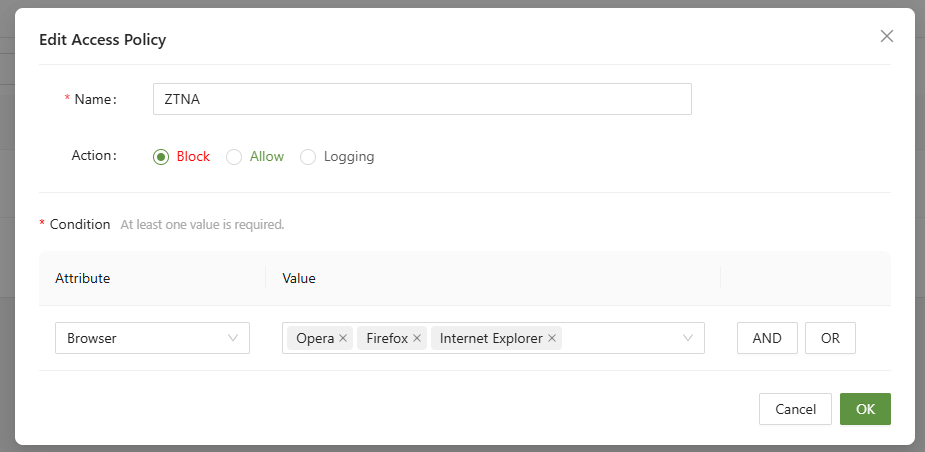
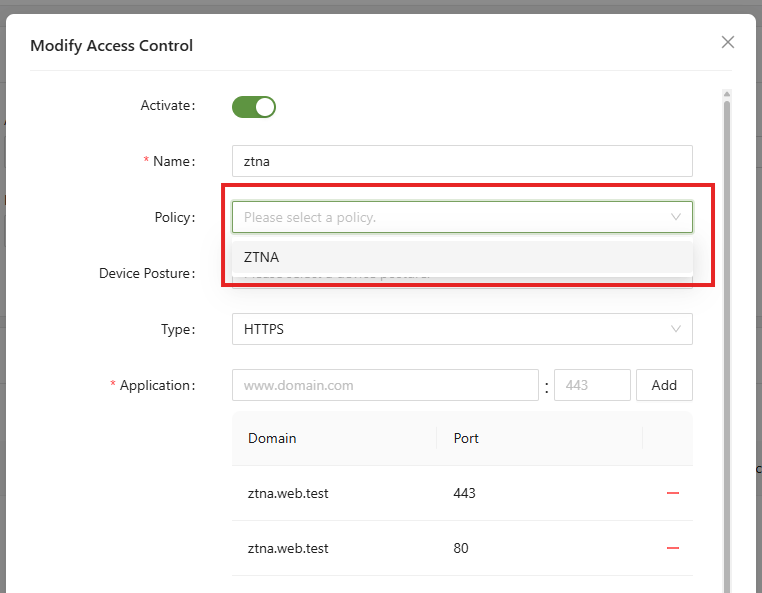
After applying the Policy to the Access Control rule, the more granular rules from the Policy will now apply. In the example above, the ZTNA rule will now enforce no Opera, Firefox, or Internet Explorer when accessing ztna.web.test.