Download Overview
The Download section of the console allows for the download and installation of the Connector Agent which is required for the SSE/ZTNA to function properly. On this page, there are download links for each major OS, for both server and device.
Users will need to download the installer for device, and install on their work device. When setting up a tunnel or gateway for the ZTNA, it is necessary to download the Connector for Server.
My Device
My Device shows that status of your device that is connected to the SSE. You can see the OS, which edge your connected to, IP, Virtual IP, device name, version, and lastly the device posture check score. The device posture check score can range from 0 to 100.

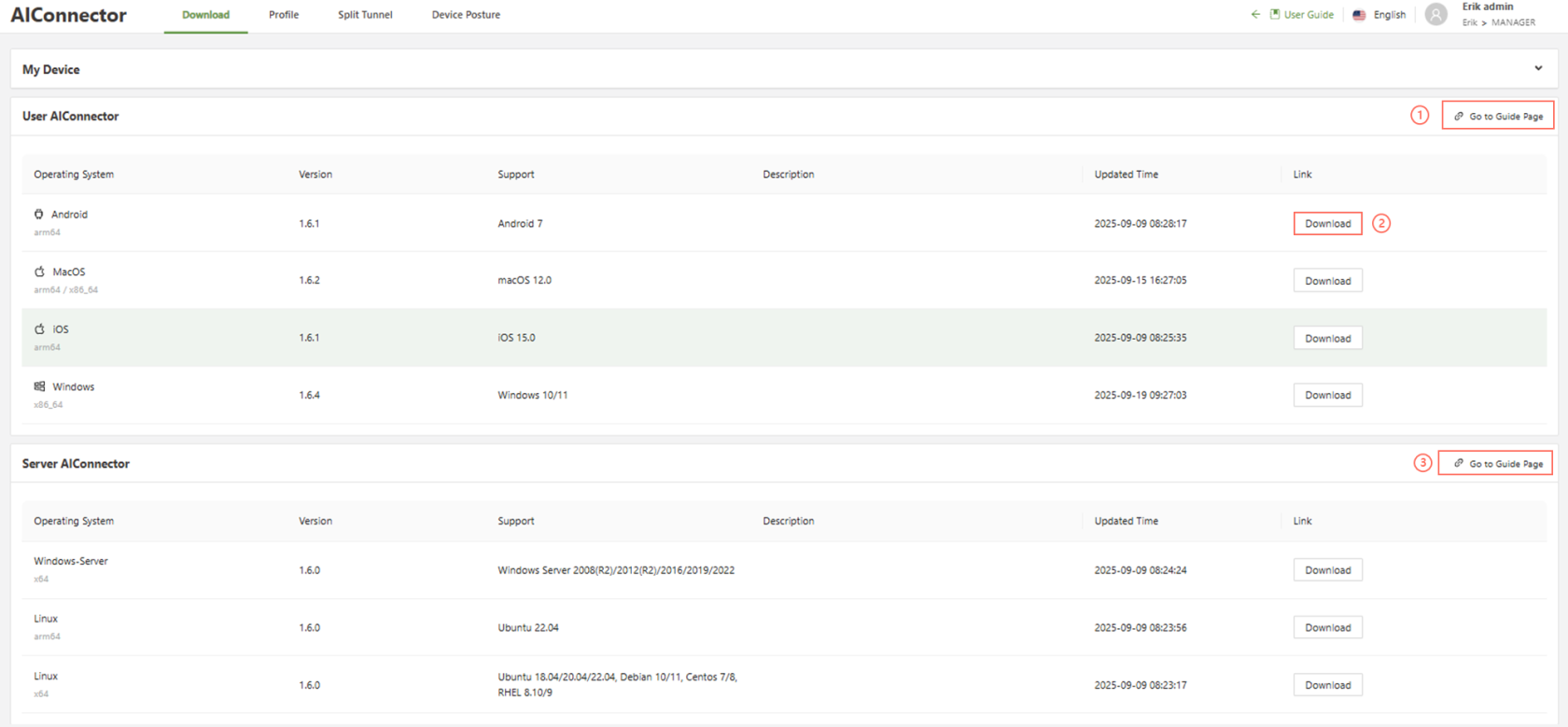
- Go to Guide Page: Instructions on how to install the connector as well as basic information on how to use the AIConnector on your device
- Note: A different guide is provided for Clients and Servers.
- Download: Downloads the installer files for the specified operating system
- Go to Guide Page: Instructions on how to install the connector as well as basic information on how to use the AIConnector on a server
Each section has an updated installation guide to follow, see below:
- Connector for Device
- Connector for Server