Device Posture Check Overview
What is Device Posture Check?
Device Posture Check is a set of conditions that the SSE will check against, before allowing the Connector to connect with the service. A non-complaint device will not be able to access the resources behind the Connector as well. Its important to note that on the SSE platform, Device Posture policies are only created in this menu, but they are applied elsewhere.
Device Posture Menu
This guide will give an overview of the Device Posture menu.
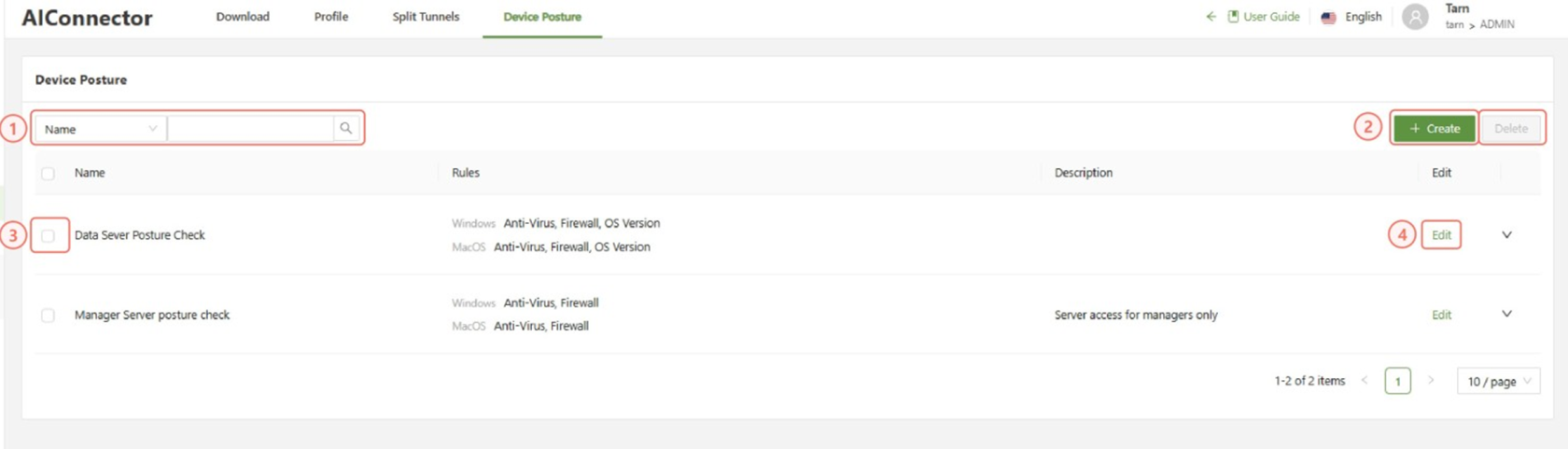
| Search | Allows for filtering of the different profiles based on name, rule or description |
| Create | Opens the create menu in order to create a new posture check |
| Checkbox | Used in conjunction with the delete button in order to delete one or multiple selected device postures |
| Edit | Allows for the editing of the specified posture check, opening up the “create” menu prefilled with the rules current information |
To create a policy, click the Create button on the top right part of the console.
Device Posture Create Menu
This form is used to create new device posture check policies:
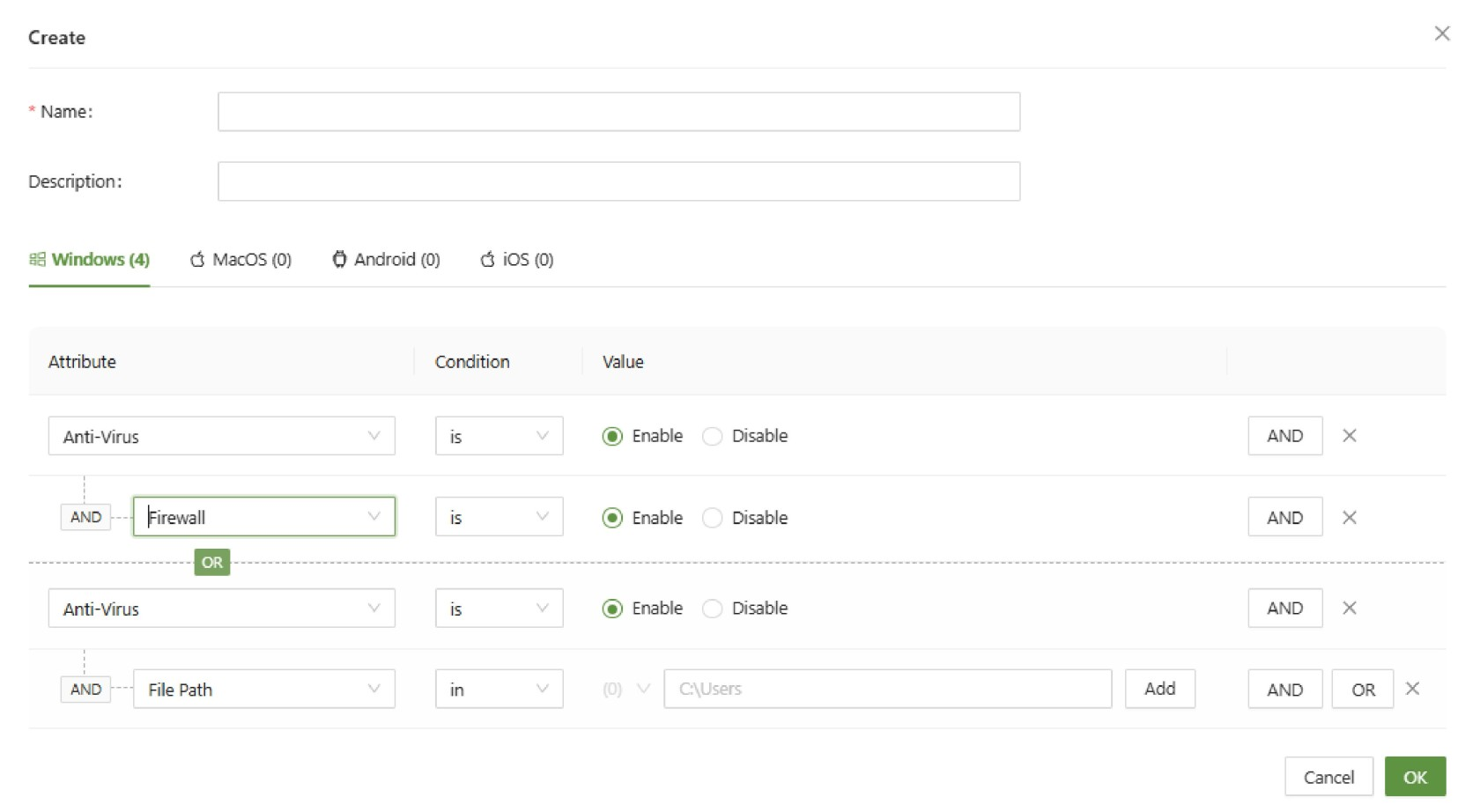
Below is a list and description of each condition for the device posture check:
| Attribute | Attribute Info | Conditions | Value Information |
| Anti-Virus | Checks the status of Anti-Virus software | is | is not |
| File Path | Checks whether the file path provided in the value exists on the machine | in | not in |
| Process | Checks whether a specified process is currently running | in | not in |
| OS Version | Checks the version number of the OS on the device | in | not in |
| Firewall | Checks the status of the OS Firewall | is | is not |
| Certificate | Checks the installed certificates on the device | in | not in |
| AD Domain | Checks the AD Domain(Windows only) | in | not in |
| Device Serial | Checks the exact serial number of the device | in | not in |
Applying Device Posture Check
Simply creating the policy in the posture check menu doesn't activate the policy. It instead creates the policy which can subsequently be applied in other parts of the SSE. This section will show the section where DPC can be applied.
ZTNA Access Control
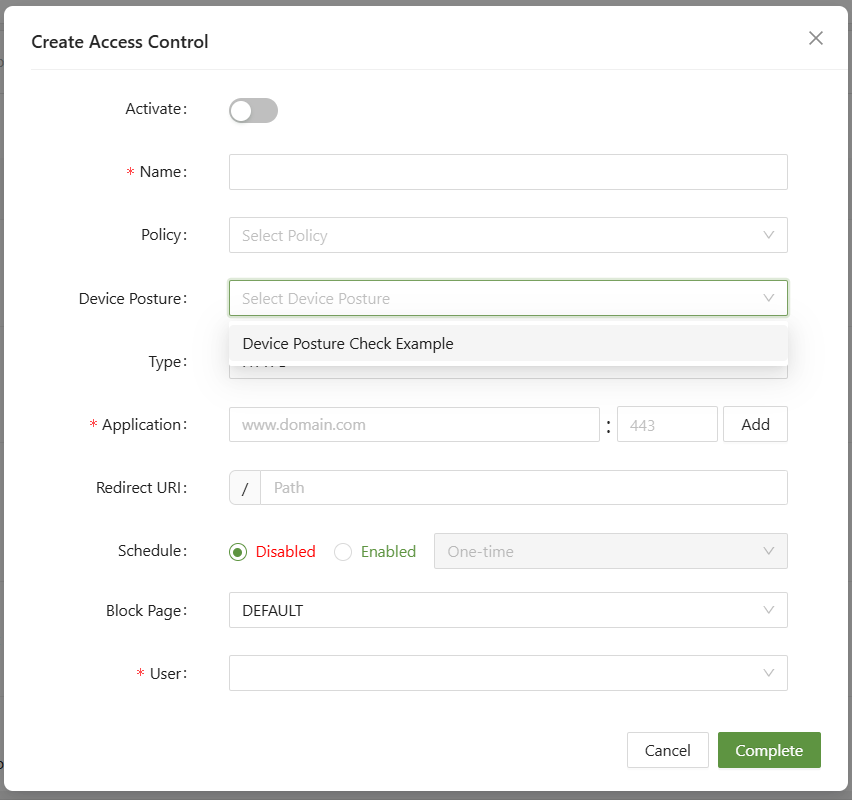
The main current location to apply DPC is in ZTNA Access Control. When setting up a policy, selecting Device Posture Check will force all devices to make the check first before seeing if they can access the resource.