SaaS Reverse Access Overview
What is SaaS Reverse Access?
CASB Reverse Access Control (SAML Proxy) allows secure access to enterprise SaaS services without requiring the Connector agent on the client side. It works by intercepting the SAML authentication flow between the SaaS provider (SP) and the Identity Provider (IdP), acting as a proxy to determine if the connector is used. If the connector is detected, the CASB issues a valid SAML assertion and grants normal access; if not, it blocks the session and displays a message instructing users to install the connector. This feature ensures that only traffic routed through the security gateway can access enterprise SaaS applications.
SaaS Reverse Access Menu
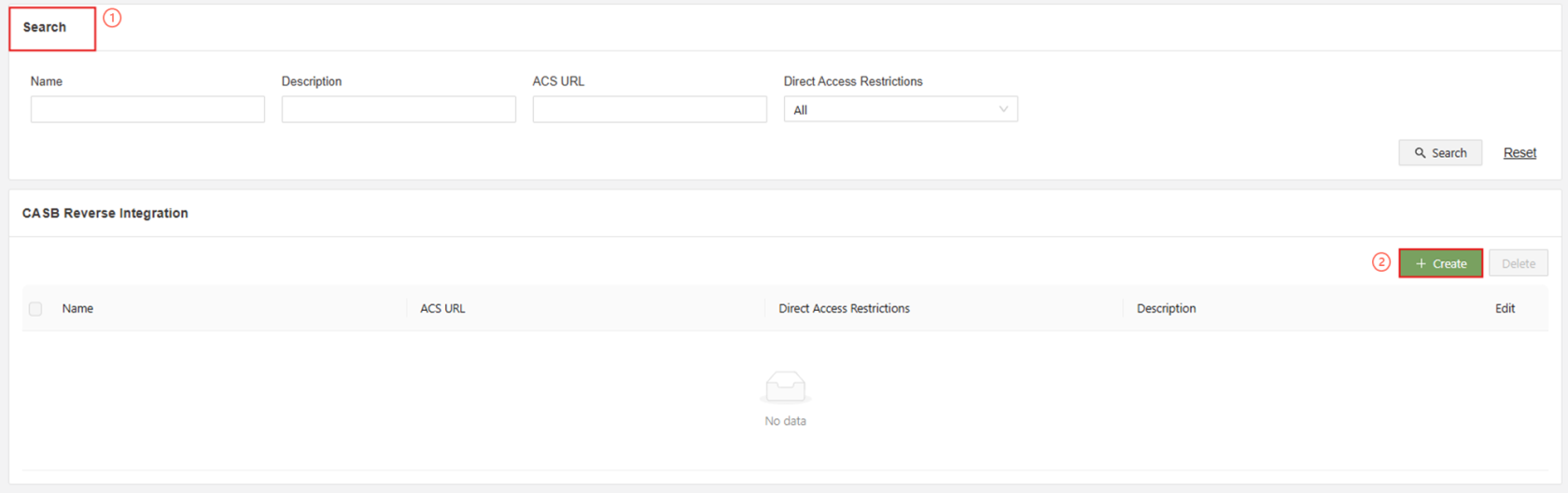
| Search | Search and filter created rules |
| Create | Create a new Reverse Access Rule |
Create Rule Menu
To create a rule, information will be needed from the SaaS side and the IDP side. It can be uploaded in the form of an XML file, or uploaded manually as shown below. The picture below is displayed in manual input mode for clarity.
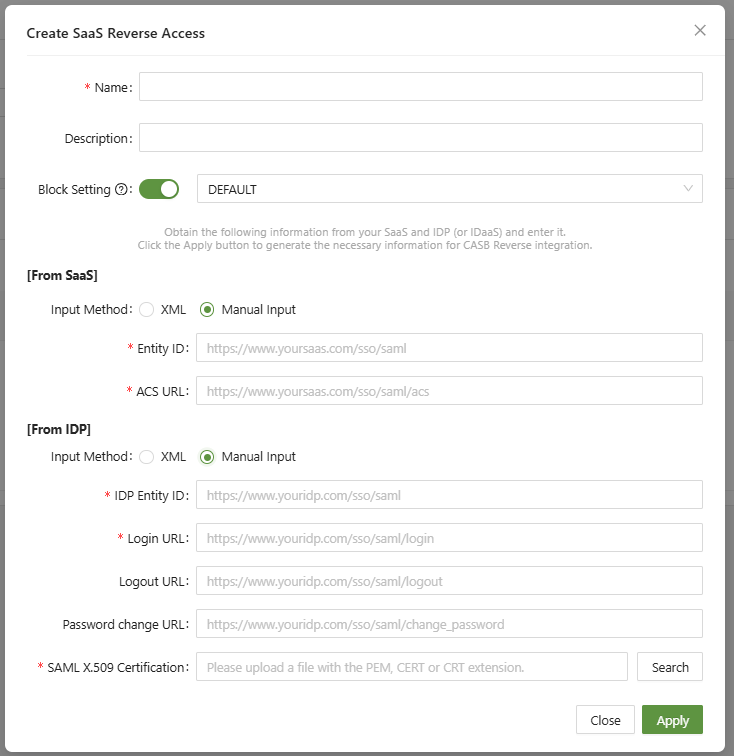
Below is an overview of each setting:
| Entity ID(SaaS) | Unique identifier for the SaaS application used in SAML authentication |
| ACS URL | The SaaS endpoint where the SAML response (assertion) is sent after user authentication |
| IDP Entity ID | Unique identifier for the Identity Provider that authenticates users |
| Login URL | The IdP’s SSO endpoint where authentication requests are sent |
| Logout URL | The IdP endpoint used to handle user logout requests |
| Password Change URL | The IdP page where users can change their passwords if needed |
| SAML X.509 Certification | The IdP’s public certificate used to verify the authenticity and integrity of SAML assertions |