In-App Control Overview
What is In-App Control?
In-App Control is a CASB feature that lets administrators manage and restrict what users can do inside a cloud application—not just whether they can access it. Instead of simply blocking or allowing the whole app, it provides granular control over specific actions, features, and behaviors within supported SaaS services.
With In-App Control, you can define rules that block, allow, or log activities such as file downloads, sharing, uploads, deletions, or administrative tasks depending on the application. These controls can be applied to specific users or groups and can operate on schedules just like regular SaaS Access policies
In-App Control Menu
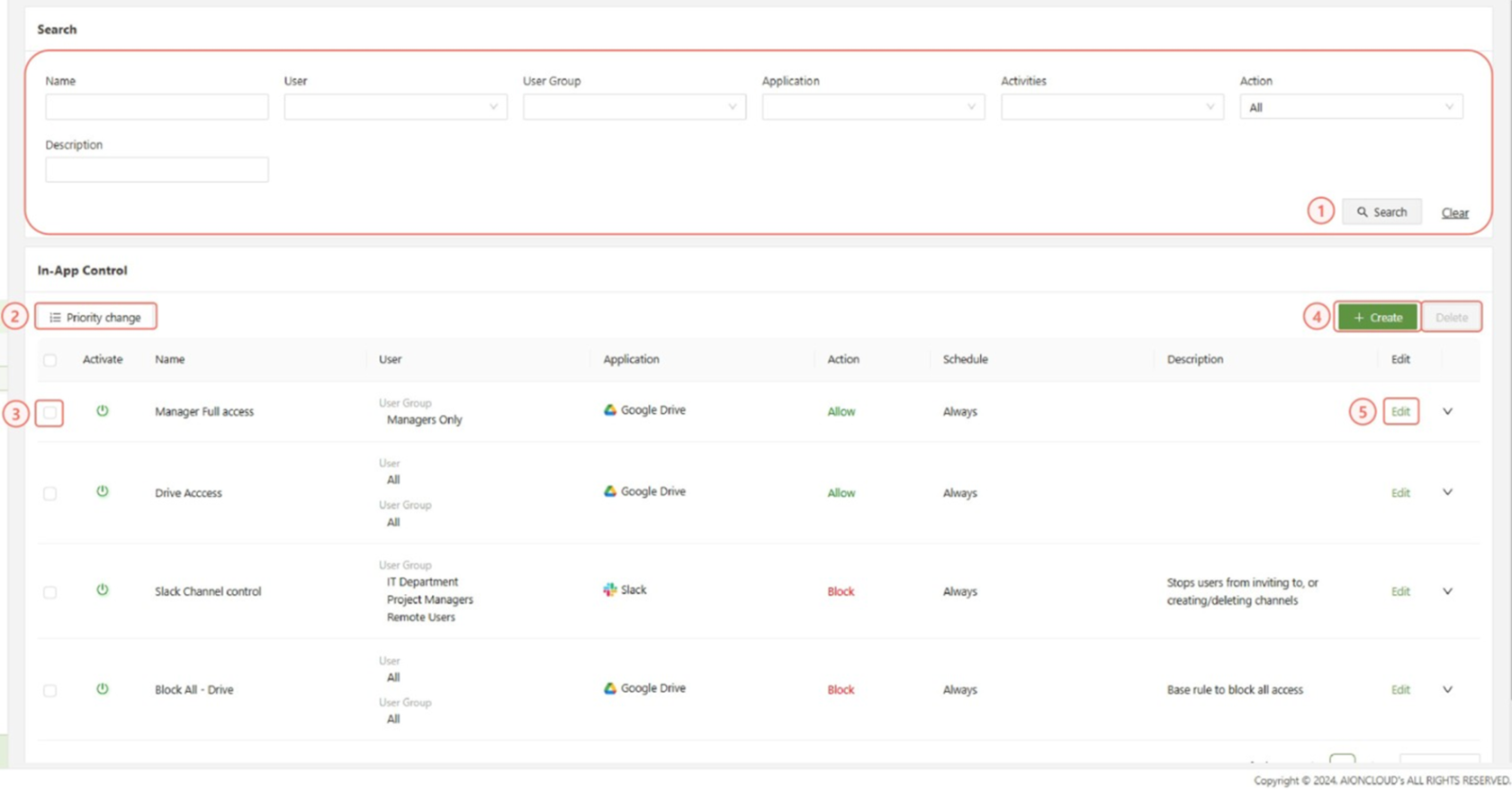
- Search: Filter the list of In-App control policies using the specified fields.
- Priority Change: When selected, allows for the order change of policies, policies that appear earlier in the list will override later rules.
- Checkbox: Used in conjunction with the delete button in order to delete one or multiple selected In-App controls.
- Create: Used to access the “Create In-App control” form
- Edit: Used to open the “Edit In-App control” form for the specified rule.
Create In-App control
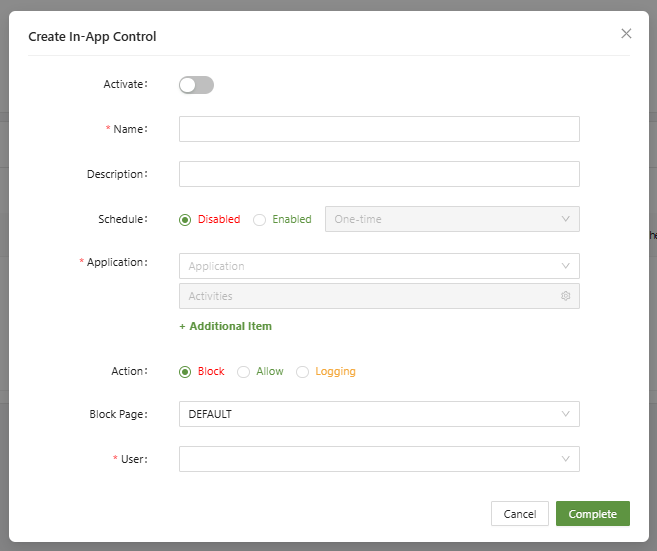
- Name (Unique): A unique identifier for the new SaaS policy
- Description: A short description of the policy and its purpose
- Schedule: Used to set a one time or reoccurring schedule based on the time and date of the selected time zone
- Application: Specify which app to create a control rule for.
- Activities: After selecting an application, activities will open a menu of the possible activities that are to be controlled, some options are unique for the application.
- Action: Set the rule to Block, Allow or Logging.
- Block Page: Set the specified block page message when the rule is used to block access.
- User: Set the users or user groups that are affected by this policy.