SaaS Reverse Access Configuration
When configuring SaaS Reverse Access policies, the administrator will need the following information from their SaaS and IDP:
- XML files for both the SaaS provider and the IDP
OR - Manually input credentials
[XML]
Using XML files containing the metadata for each provider is the easiest way to configure the reverse access.
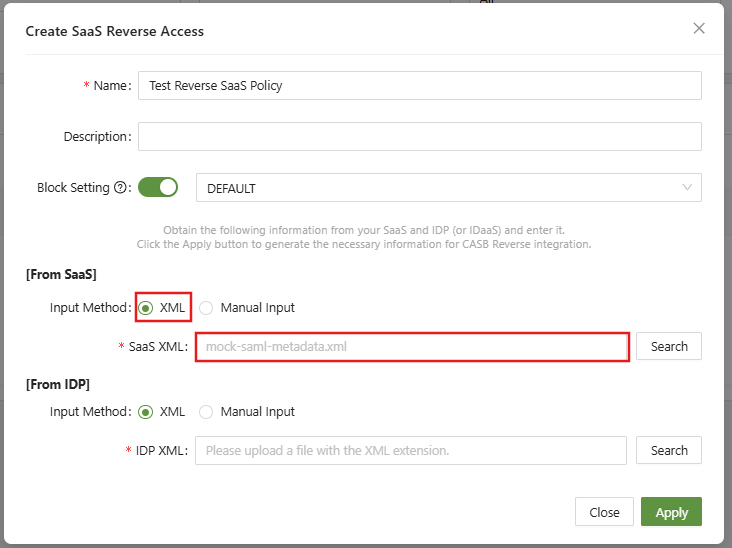
Metadata can often be downloaded from the provider security page, SAML settings, or SSO settings.
[Manual]
If XML files are not handy, the information can be manually input.
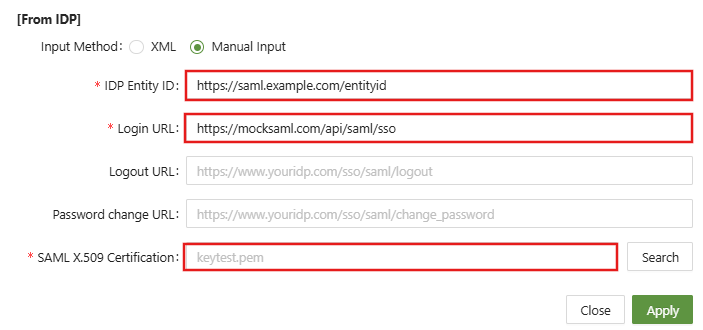
The information requested in these settings are commonly found in any IdP SAML settings.
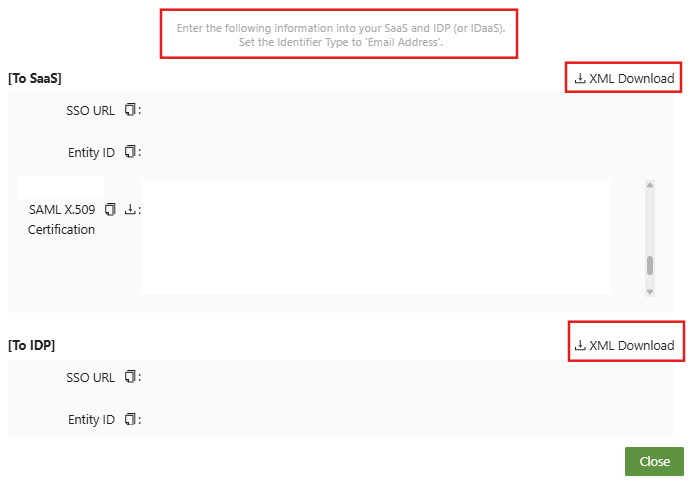
After completing the required information, click Apply, and a second window will open:
While the information in this example has been crossed-out, be sure to either download the metadata XML files, or take the information provided and enter it into your SaaS and IDP (or IDaaS).
Set the Identifier type to 'Email Address.'