SaaS Access Overview
What is SaaS Access?
The SaaS Access function is a CASB feature that allows administrators to centrally manage and control how users interact with cloud-based applications. It provides the ability to allow, block, or log access to more than a thousand SaaS services, ensuring that only approved applications can be used and that usage is monitored for security and compliance.
SaaS Access lets you create detailed policies that control how specific users or groups can use cloud applications, including setting schedules and customizing block messages. Policy priority can be arranged so that more important rules are applied first. Overall, it provides an effective way to manage and secure the use of cloud services across your organization.
SaaS Access Menu
This section is designed to allow for the control of user access to cloud based applications as well as their internal commands.
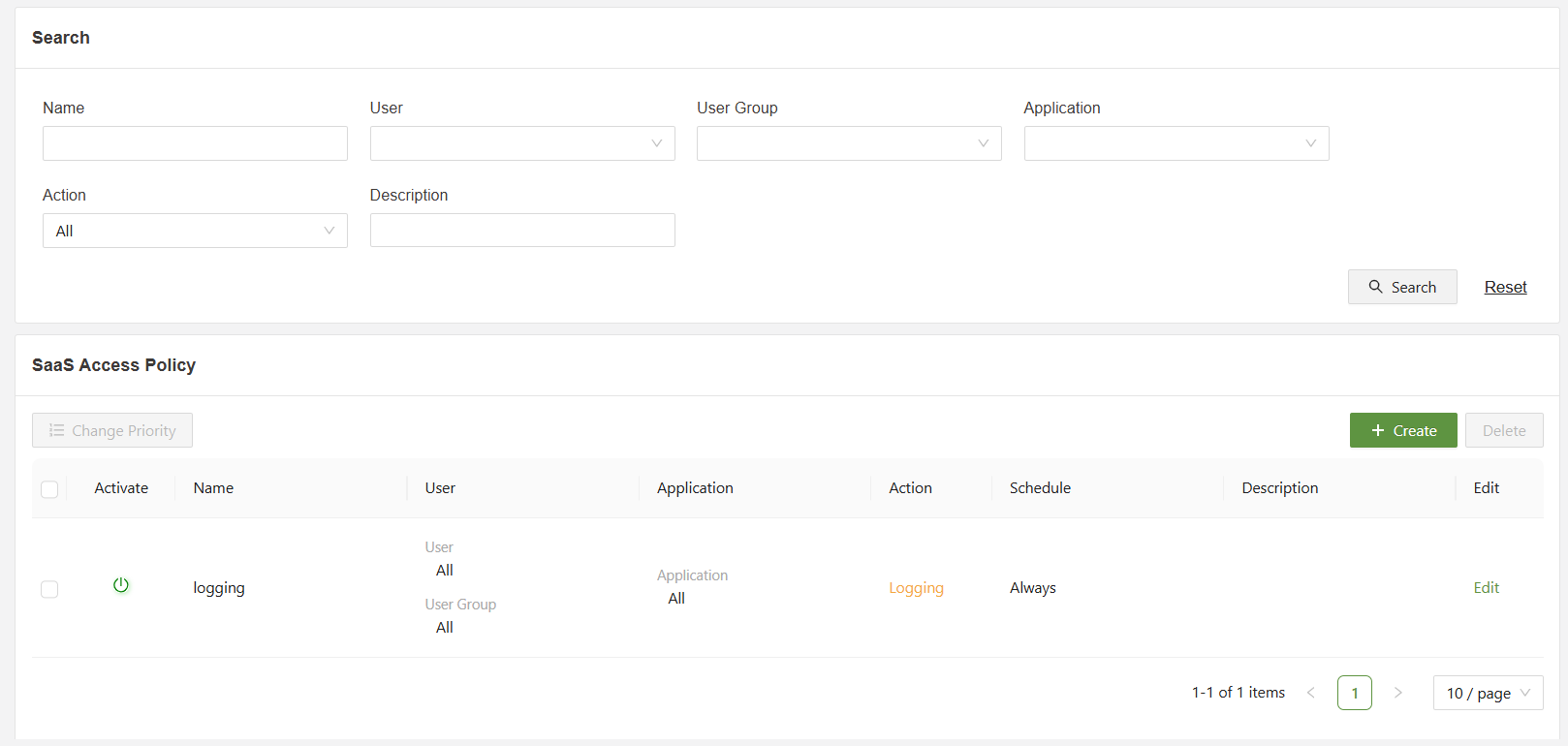
Below is an overview of the various functions on the SaaS Access Menu:
- Search: Filter the list of SaaS access policies using the specified fields.
- Priority Change: When selected, allows for the order change of policies, policies that appear earlier in the list will override later rules
- Checkbox: Used in conjunction with the delete button in order to delete one or multiple selected policies.
- Create: Used to access the “Create SaaS Access Policy” form
- Edit: Used to open the “Edit SaaS Access Policy” form for the specified rule.
Create SaaS Access Policy Menu
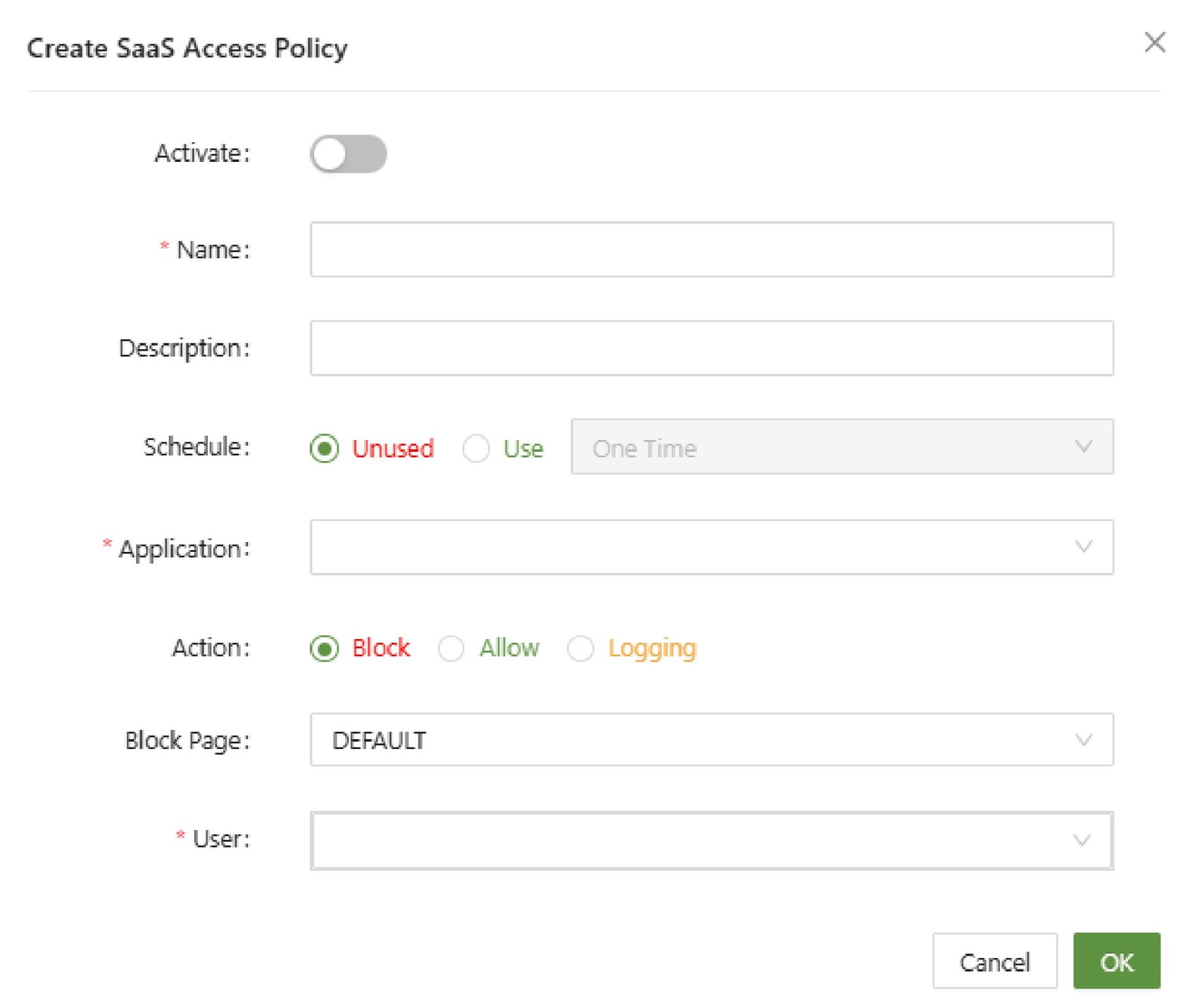
- Name (Unique): A unique identifier for the new SaaS policy
- Description: A short description of the policy and its purpose
- Schedule: Used to set a one time or reoccurring schedule based on the time and date of the selected time zone
- Application: Specify one or more applications in which the policy will apply to.
- Action: Set the rule to Block, Allow or Logging.
- Block Page: Set the specified block page message when the rule is used to block access.
- User: Set the users or user groups that are affected by this policy.
To get a more in-depth explanation on how to configure a SaaS Access Policy, visit the configuration guide.