SaaS Access Configuration Guide
To configure a SaaS Access Policy, navigate to CASB > SaaS Access > Create.
Step 1: Select the Application
CASB works by controlling the traffic at the network and application level.
Each SaaS service has a predefined signature that includes its domains, URLs, IP ranges, APIs, and protocol patterns; CASB uses these fingerprints to accurately detect traffic belonging to that specific application.
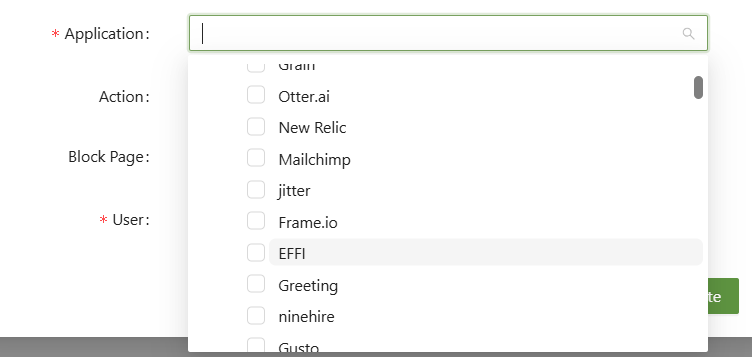
When selecting an Application, any combination of, or all, applications can be selected.
Step 2: Set the Action and User
The action will determine what the SSE will do once the condition is flagged.
- Block - This will block the traffic for that application.
- Allow - This will explicitly allow the application.
- Logging - This will take logs of the application.
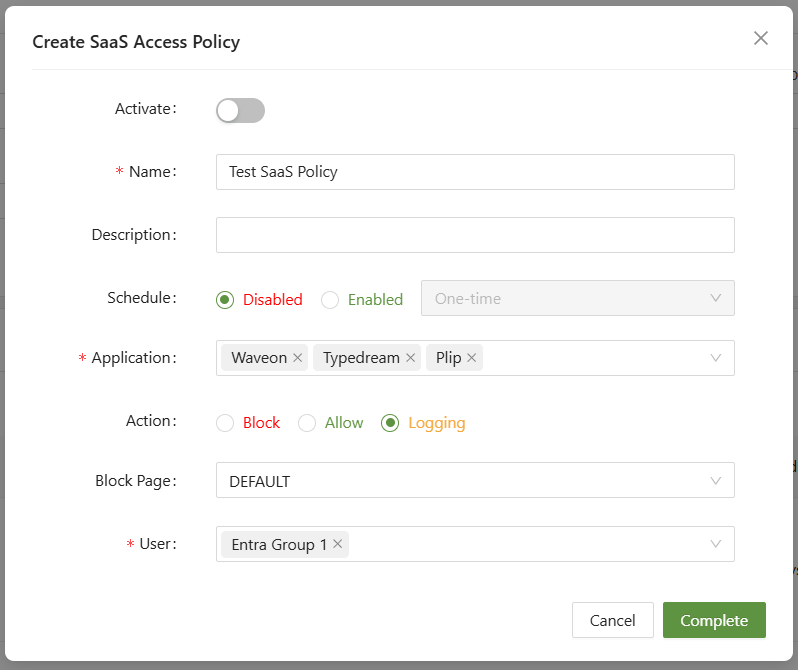
Select the user or user group to have the policy apply to. Then you're done!
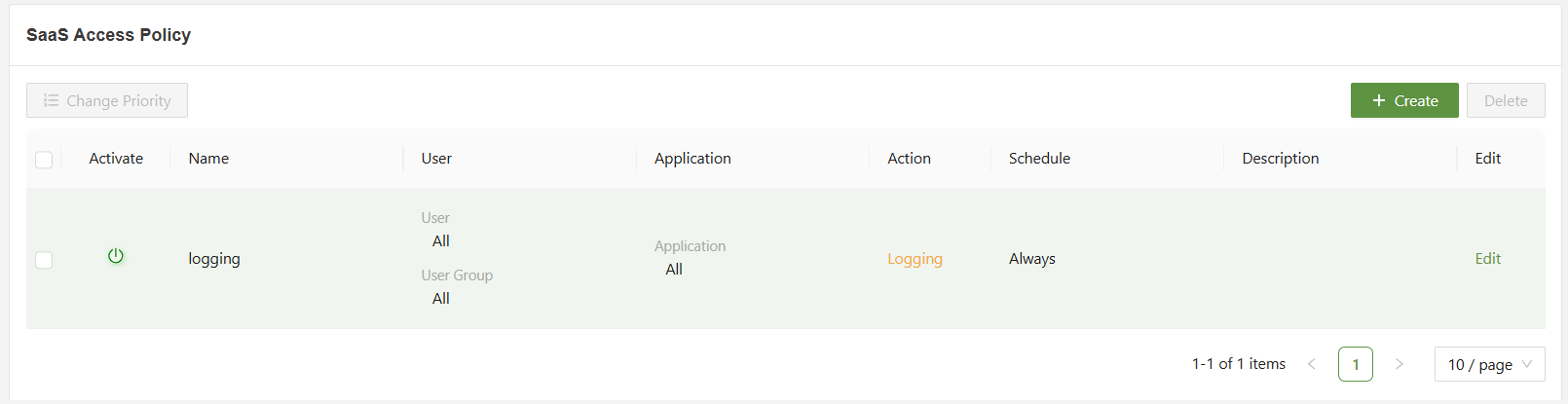
Common Example
A common example of a SaaS Access rule is to create an all logging rule, to check which applications are being used by users in the first place. Afterwards, a more specific rule can be put in place to block unwanted applications.