Security Logs
This section shows a list of all security logs created whenever a rule is activated, showing logs for all three main rule types, Allow, Detect and Block. It consists of six sections showing logs from the corresponding rules for Web, CASB, Firewall, and Access Control, DNS, and Global.
Practically, this section is for checking the details each time a rule is triggered.
On this page, you will find information on each log type and what information is generally contained within.
Web Security Logs
Web security logs display any event that triggers a web policy rule.
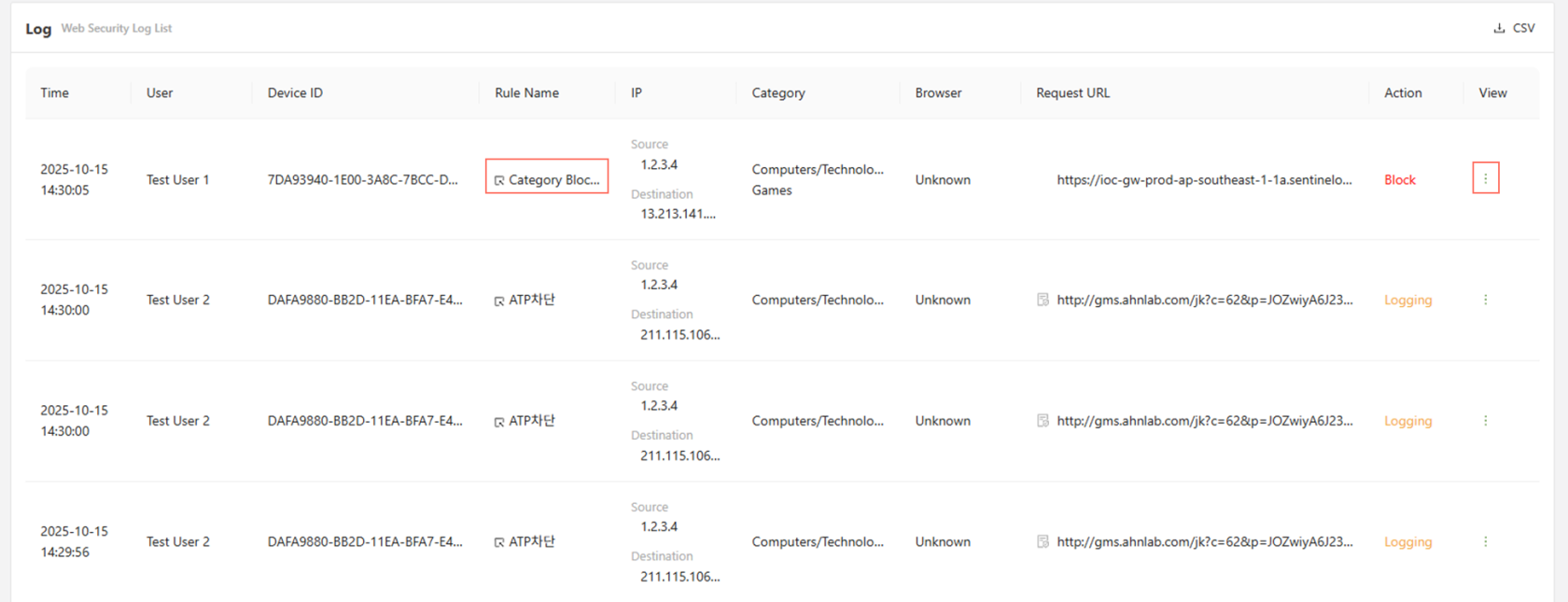
Clicking on the rule name will directly change the page to the corresponding web policy.
Furthermore, clicking on the button to the far right on a log under the 'view' column, will open up a more detailed log.
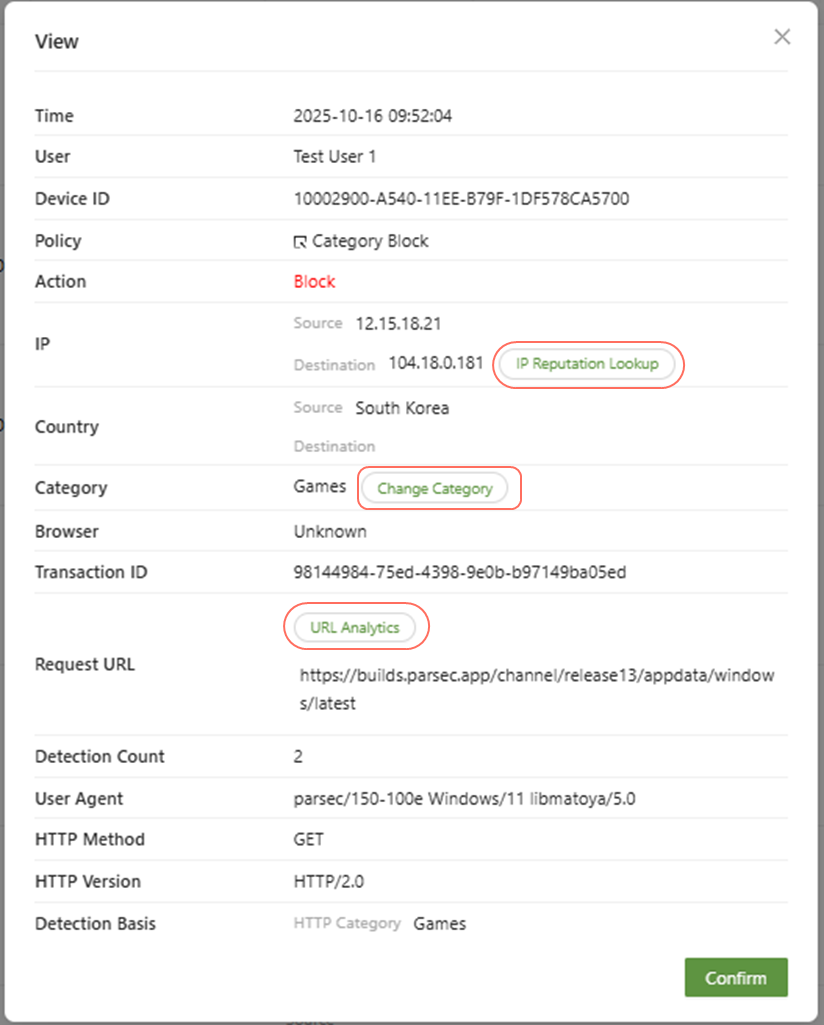
- IP Reputation Lookup: You can view the risk rating of the IP address, the last update, the attack, the detection basis, the OS information, the whois results, and the bot list information.
- Change Category: If a web policy action is due to an HTTP category, as it is above, the "change category" button can be clicked to either change the category for the corresponding website, or add an exception.
- URL Analytics: This will analyze where the URL is determined to be a safe website using the AILabs URL analysis, you can select the View Details for more information regarding the URL.
CASB Security Logs
This page shows all internet CASB for all users that has triggered any CASB Policy rules.
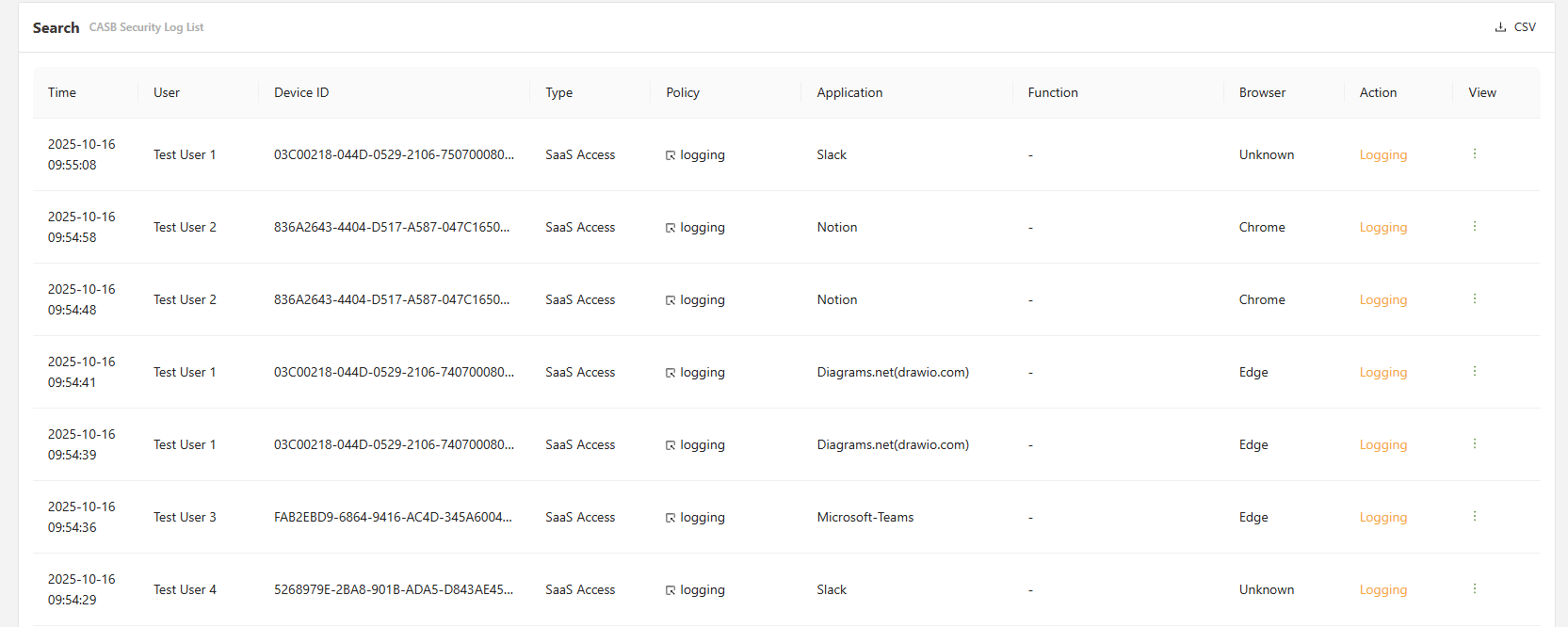
Clicking on the Policy will directly change the page to the corresponding policy.
The view button can be clicked on the far right to get a more detailed outlay of the information.
When viewing a CASB log, there are several actions available that will provide further analysis or changes.
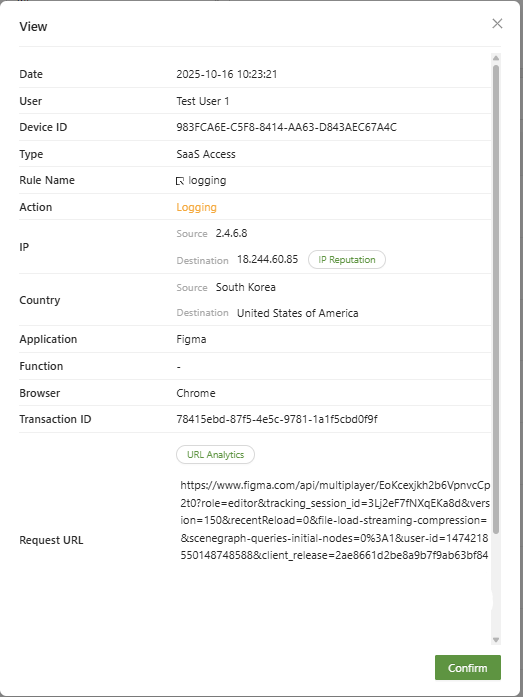
- IP Reputation: You can view the risk rating of the IP address, the last update, the attack, the detection basis, the OS information, the whois results, and the bot list information.
- URL Analytics: This will analyze where the URL is determined to be a safe website using the CTI URL analysis, you can select the View Details for more information regarding the URL.
GenAI Security Logs
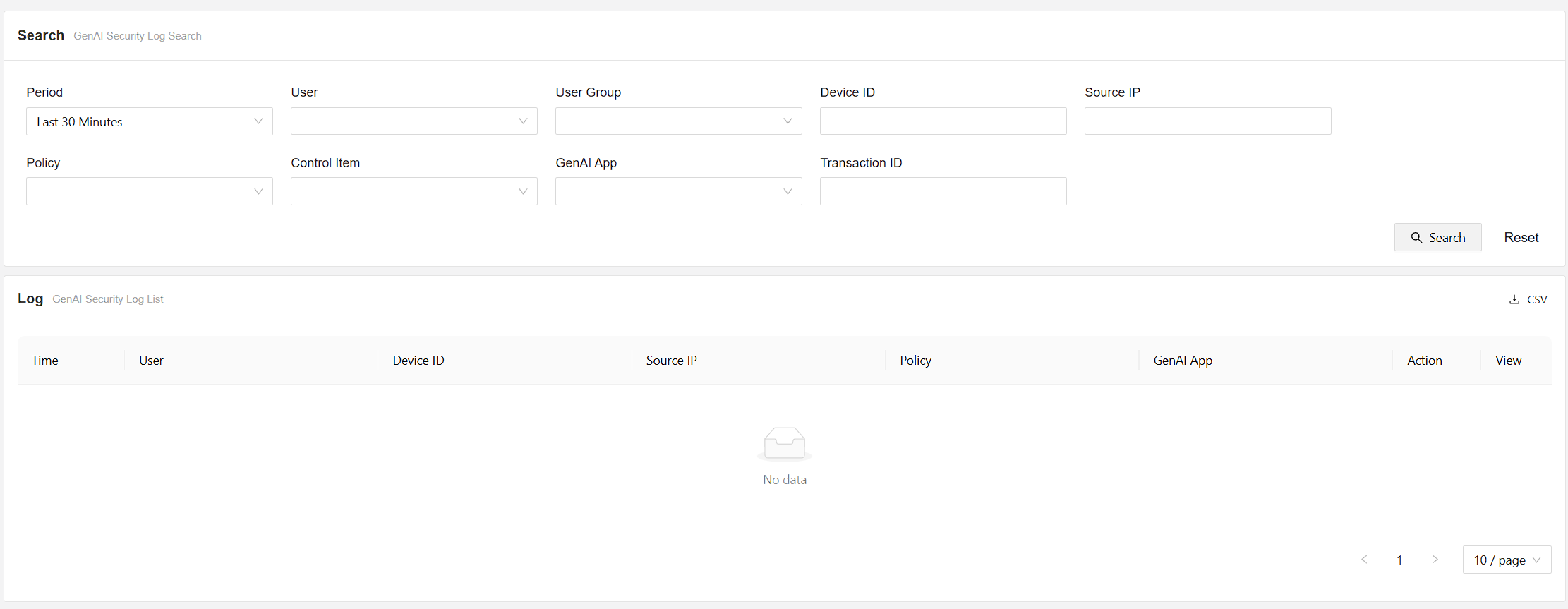
This menu displays GenAI logs detected by the GenAI policies.
Firewall Security Logs
This menu displays Application firewall logs detected by the Application firewall policy.

Clicking on the Policy will directly change the page to the corresponding policy.
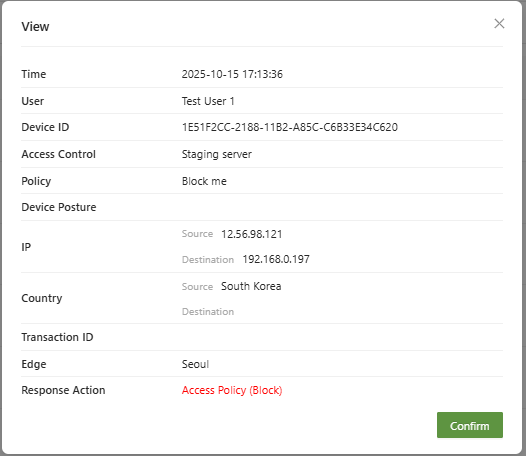
The view button can be clicked on the far right to get a more detailed outlay of the information.
Access Control Security Logs
This page shows security logs for all traffic that has triggered a ZTNA Access control policies.
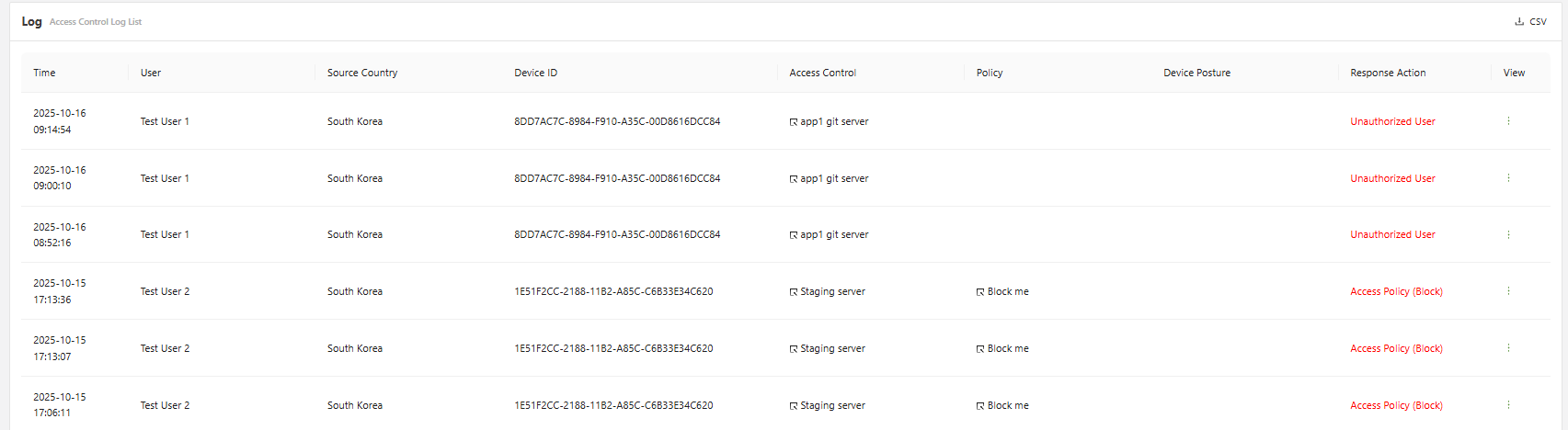
Clicking on the Access Control Policy will directly change the page to the corresponding policy.
DNS Security Logs
This page shows security logs for all traffic that has triggered a DNS control policies.
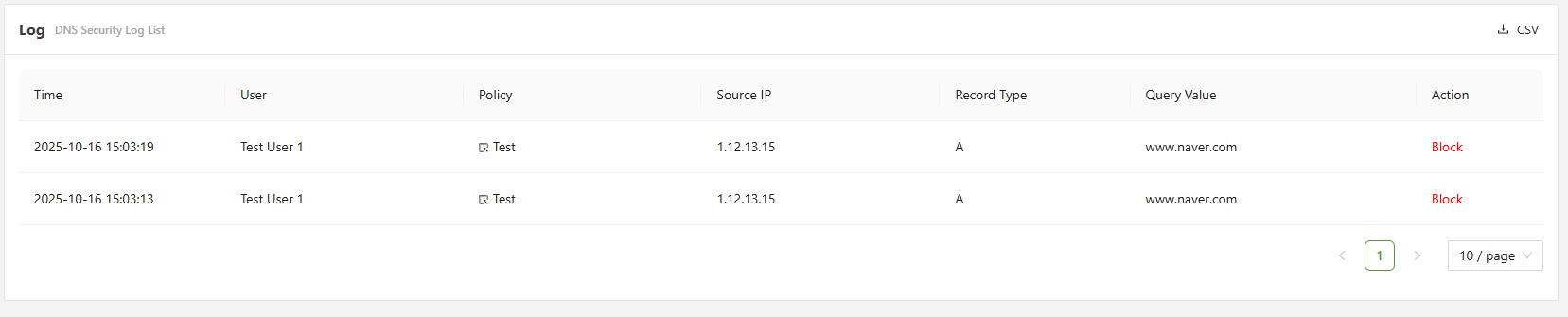
DNS logs will display the Record type of the DNS record that has been triggered.
Global Security Logs
This page shows security logs for all traffic that has triggered a Global security policies, which can be configured under settings > global security.
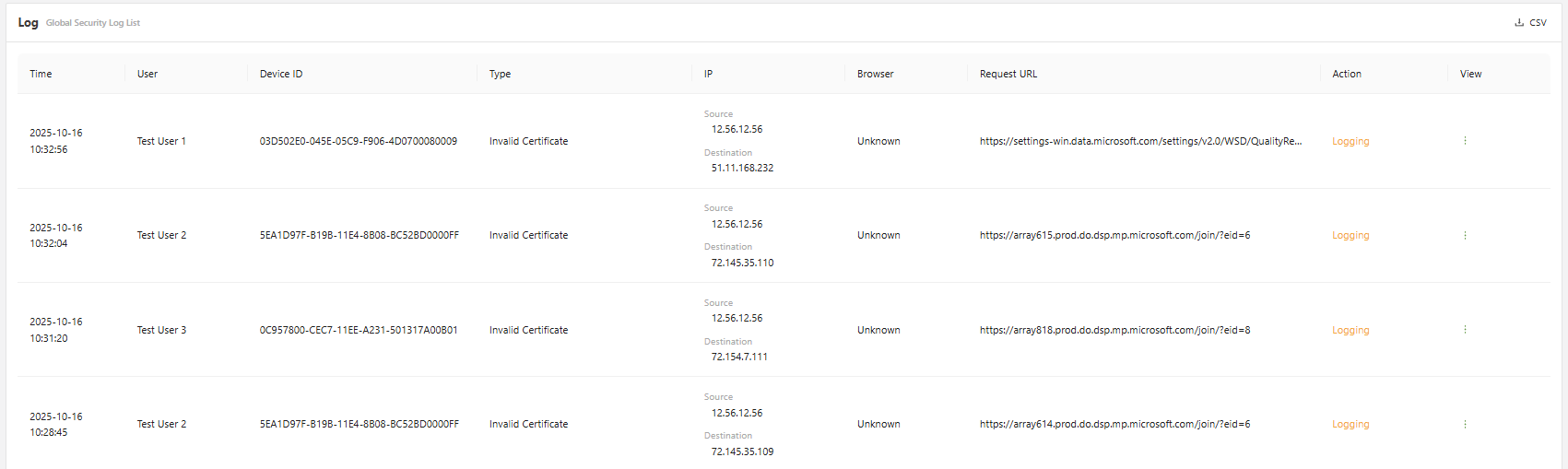
The view button can be clicked on the far right to get a more detailed outlay of the information.
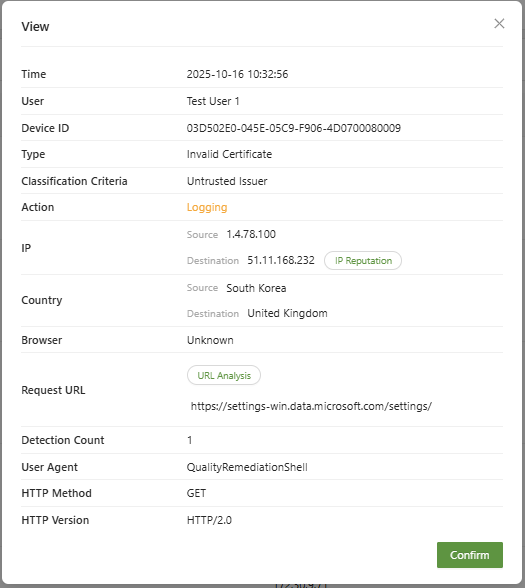
- IP Reputation: You can view the risk rating of the IP address, the last update, the attack, the detection basis, the OS information, the whois results, and the bot list information.
- URL Analysis: This will analyze where the URL is determined to be a safe website using the CTI URL analysis, you can select the View Details for more information regarding the URL.