Audit Logs
This section allows for the viewing of all changes made within the service, including whenever an account creates, updates or deletes a rule. As well as any login attempts that were successful during the specified period of time.
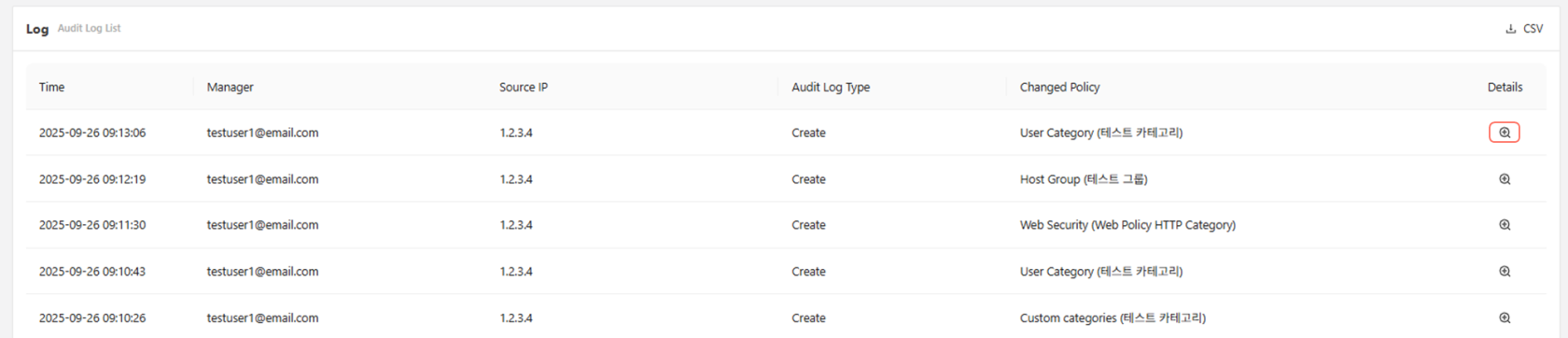
When viewing the audit logs, the magnifying glass on the far right of the audit log can be used to view the logs in detail.
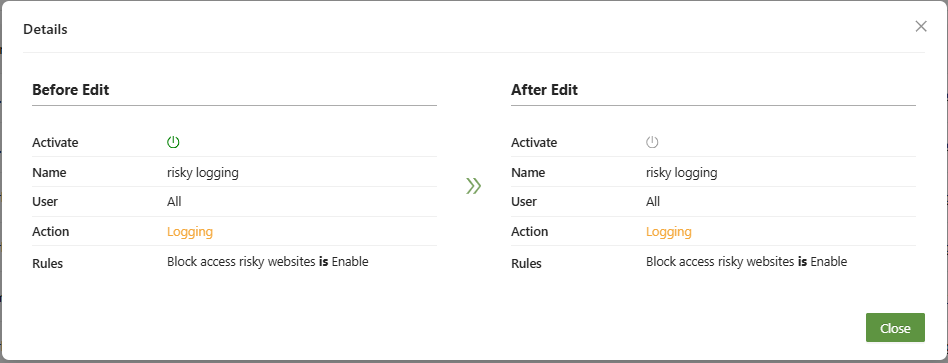
Creation logs will display simply what was created, but update logs will display the before and after, for full transparency.
In the example above, the power icon switches from on to off, showing the rule was deactivated.