Access Logs
Access Logs are used to view all web, access control and file access logs across all users. This has been separated into three separate sub-sections; Web, File and Access Control.
Web Access Logs
Web access logs allow the manager to view the logs of all web traffic accessed by users through the SSE service. Practically, any time a user connected via the connector agent accesses the web, it will be recorded as a log in this section.
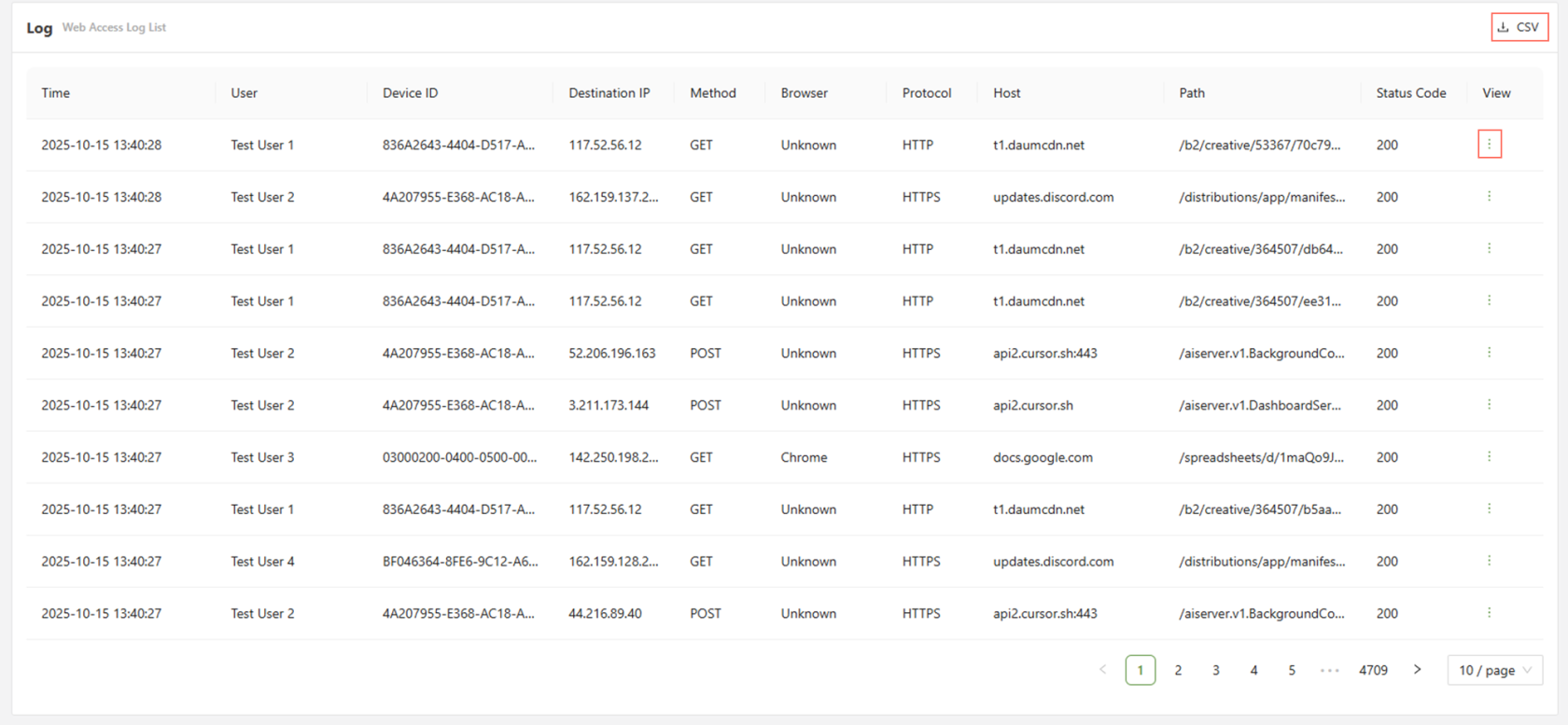
Detailed Log
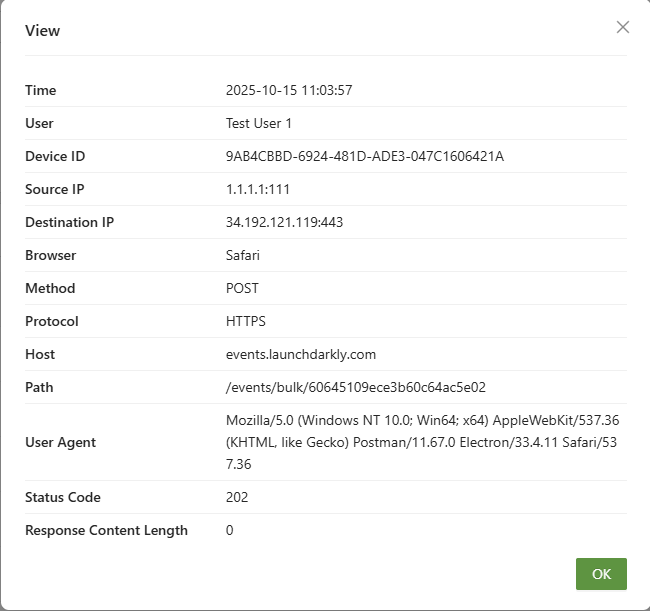
If a more detailed readout of a particular log is required, simply click on the view button at the far right end of the log to get a more detailed read-out.
GenAI Logs
This tab shows all possible GenAI traffic for all users connected through the service.
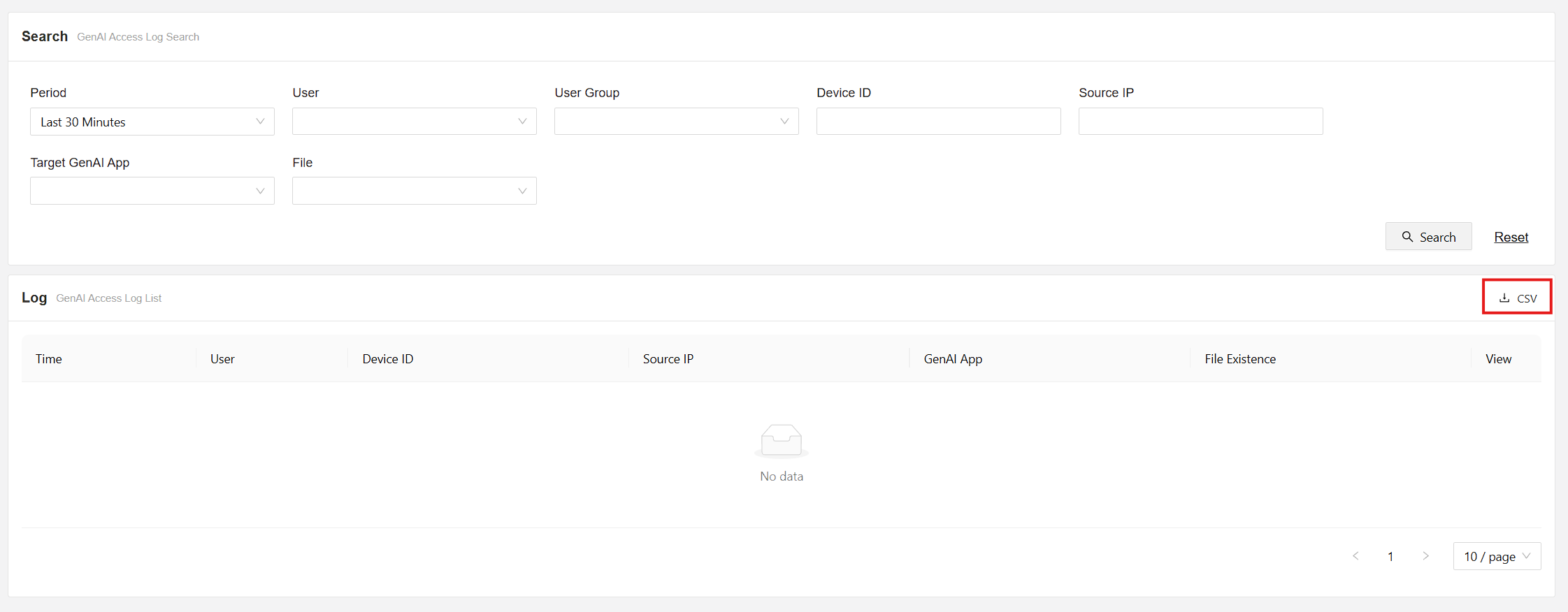
In this section, we gain access to information regarding the device id, sourse IP, GenAI app used, and if there were any files used.
File Access Logs
This tab shows all possible file traffic for all users connected through the service:
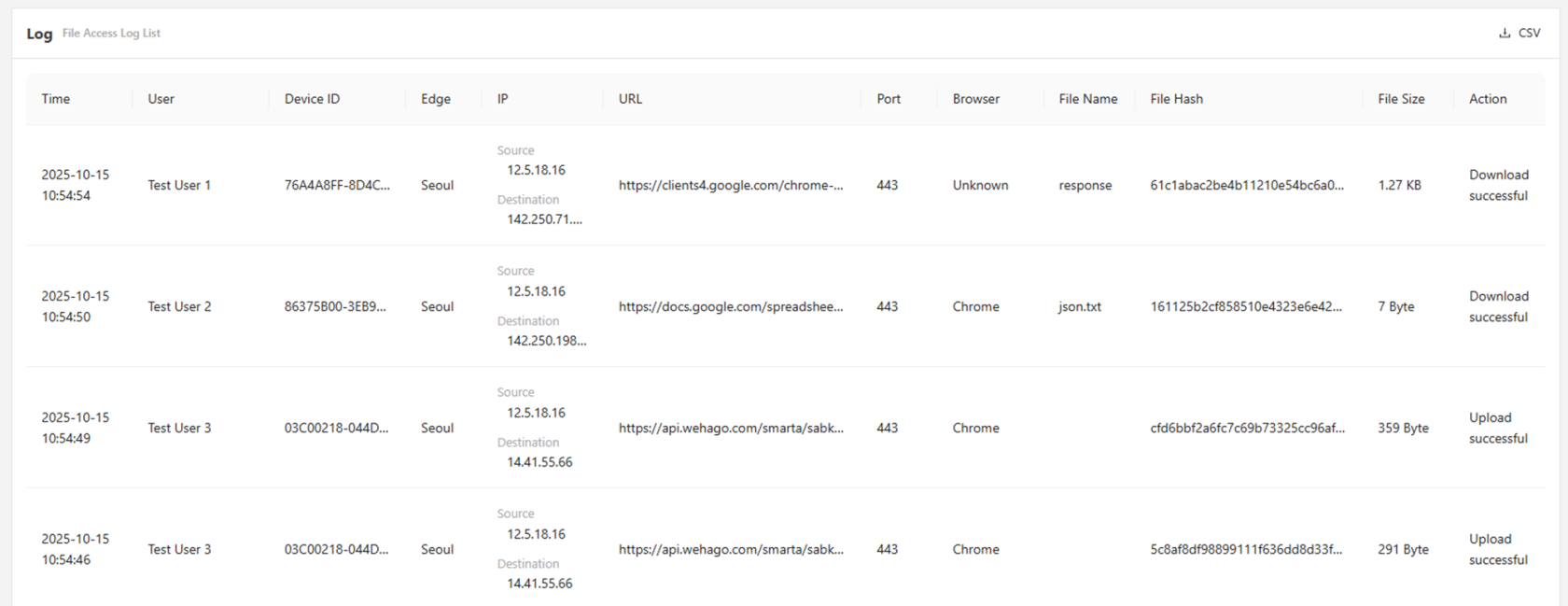
In this section, we gain access to information regarding the upload/download of files, including the file name, size, origin, and destination, among other information.
Access Control Access Logs
This tab allows for the query of user's access time, user name, edge, access control name, client and server IP, protocol, host, and service FQDN. Practically, it shows when a user has accessed an internal web application via a ZTNA access control policy.
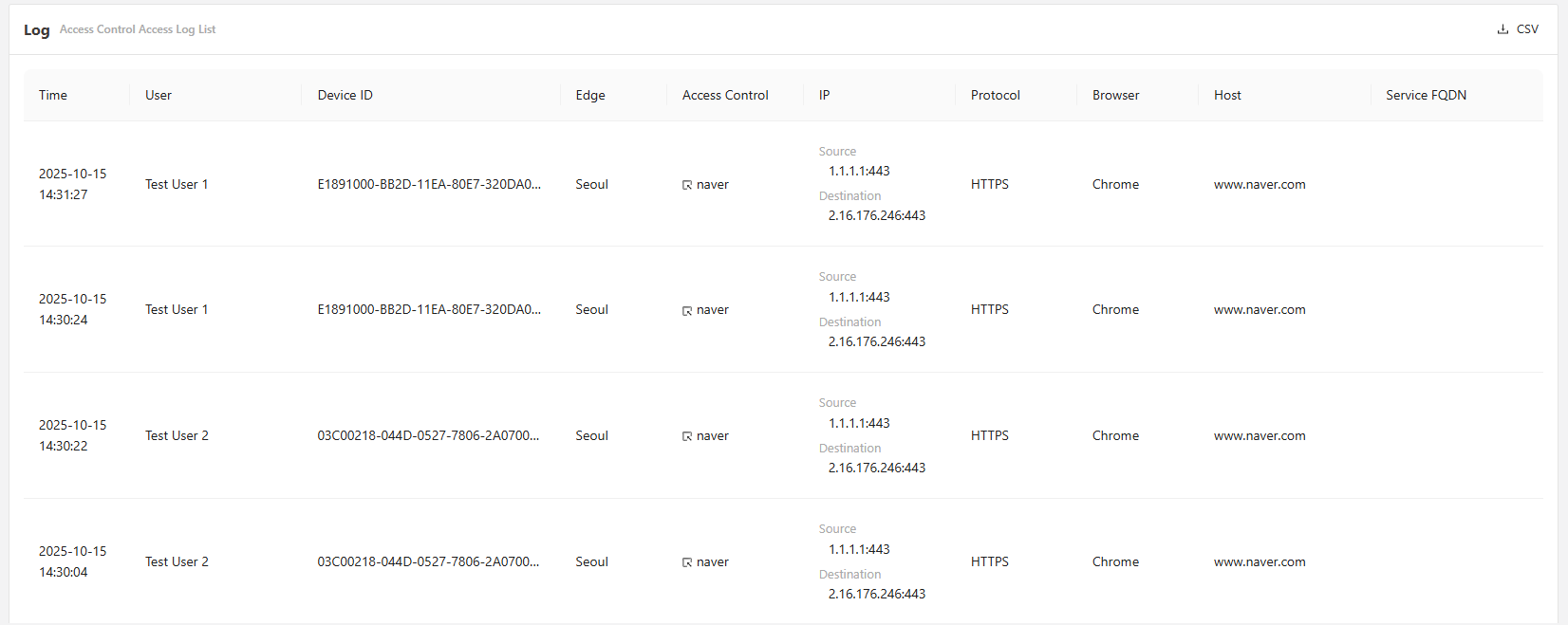
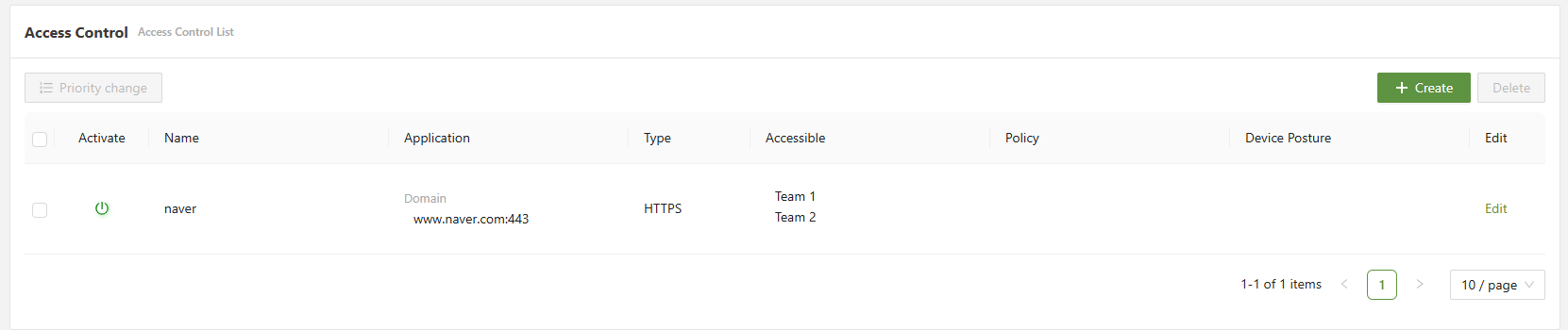
In the above logs, it can be seen that it is being logged each time a user accesses www.naver.com. This is due to the access control policy "naver", which, if clicked on, will direct the user to the policy. This is shown below: