Application QoS Overview
What is Application QoS?
Application QoS, which stands for Quality of Service, is a tool used to prioritize applications to ensure they receive adequate performance in situations with limited bandwidth.
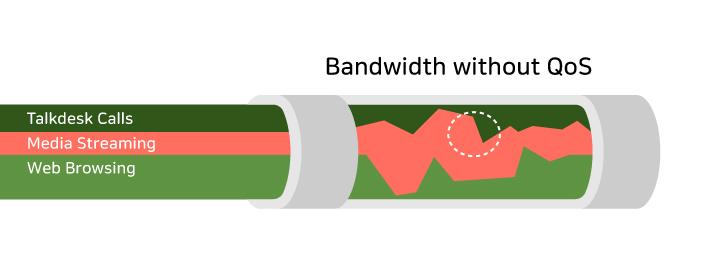
Without QoS, there will be wide fluctuations in the bandwidth available to all applications, without giving priority to more important or time-sensitive applications.
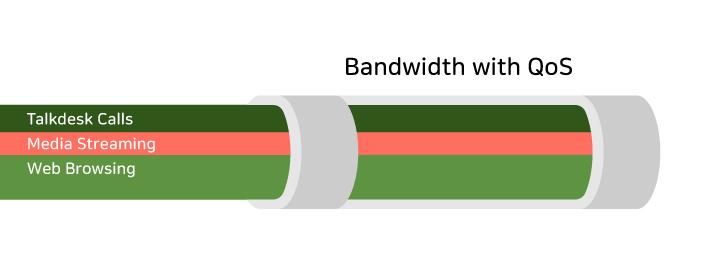
With QoS, applications will be given a limit to how much bandwidth they may utilize, allowing for stronger control over the network.
Application QoS Menu
Below is an overview of the Application QoS menu as it appears on the SSE Console:
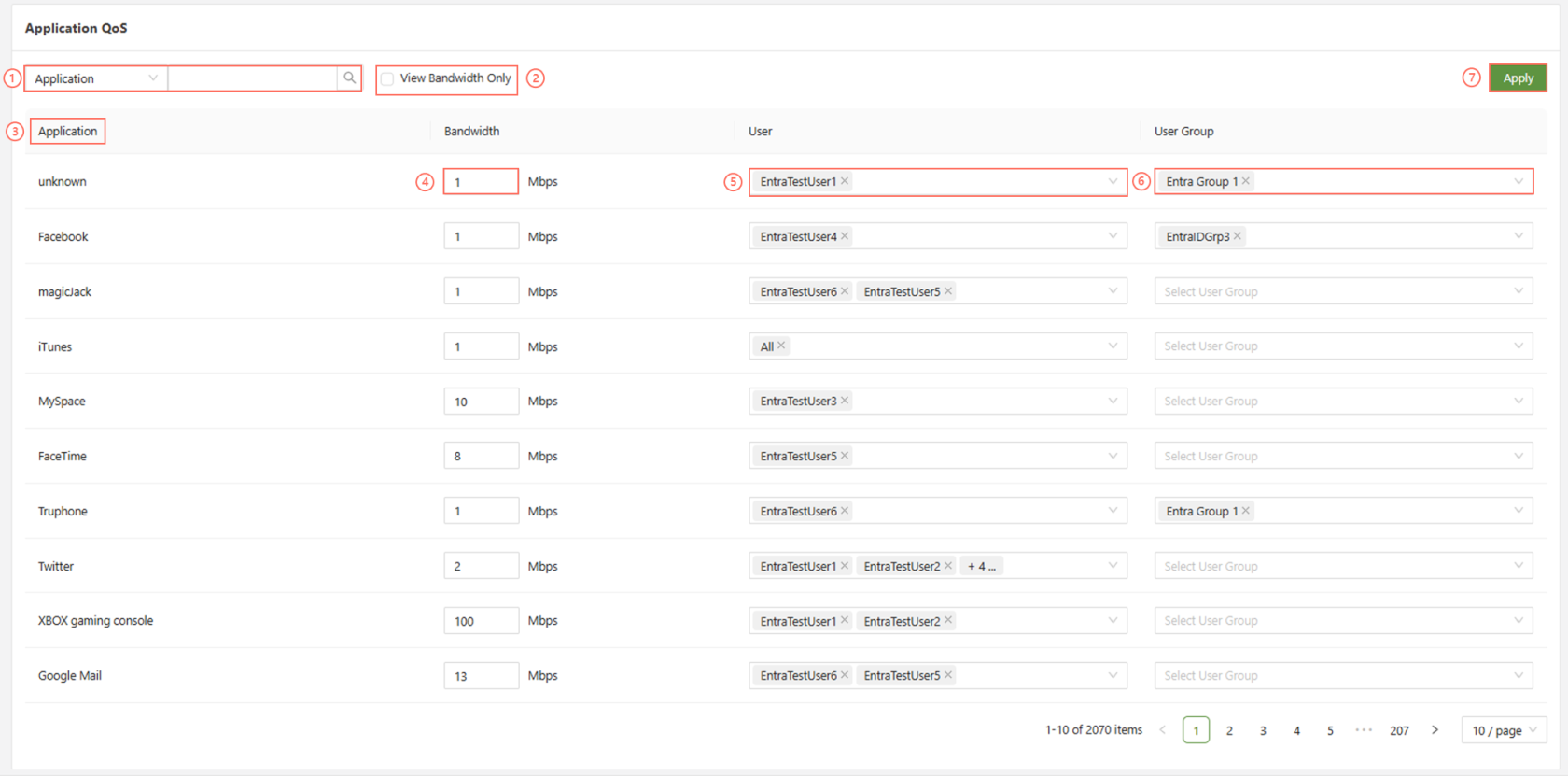
Each function will be listed below to give an overview of how it works:
| Search Bar | Filter the Application QoS menu via Application, User, or User Group. |
| View Bandwidth Only | This option will only show Applications that have a bandwidth limit designated for them, meaning anything left blank in the Bandwidth column will be omitted . |
| Application | The list of all applications available to use QoS with |
| Bandwidth | This is where the manager is able to set a limit for the amount of traffic allowed(mbps) for that particular application. |
| User | Set the user for which the bandwidth QoS rule will be applied. |
| User Group | Set the user group for which the bandwidth QoS rule will be applied. |
| Apply | After completing any changes, click 'apply' to apply the changes to the SSE. |