HTTP Category Management
In this section you will find the names and a basic description of the different HTTP categories that are used in the Security Policies as well as in analytics and logs. This sections has 2 sub-sections, Custom categories and User categories.
Custom Categories TAB
In this sub section you will be able to create custom categories and provide descriptions, while also viewing the information regarding the Default category list.
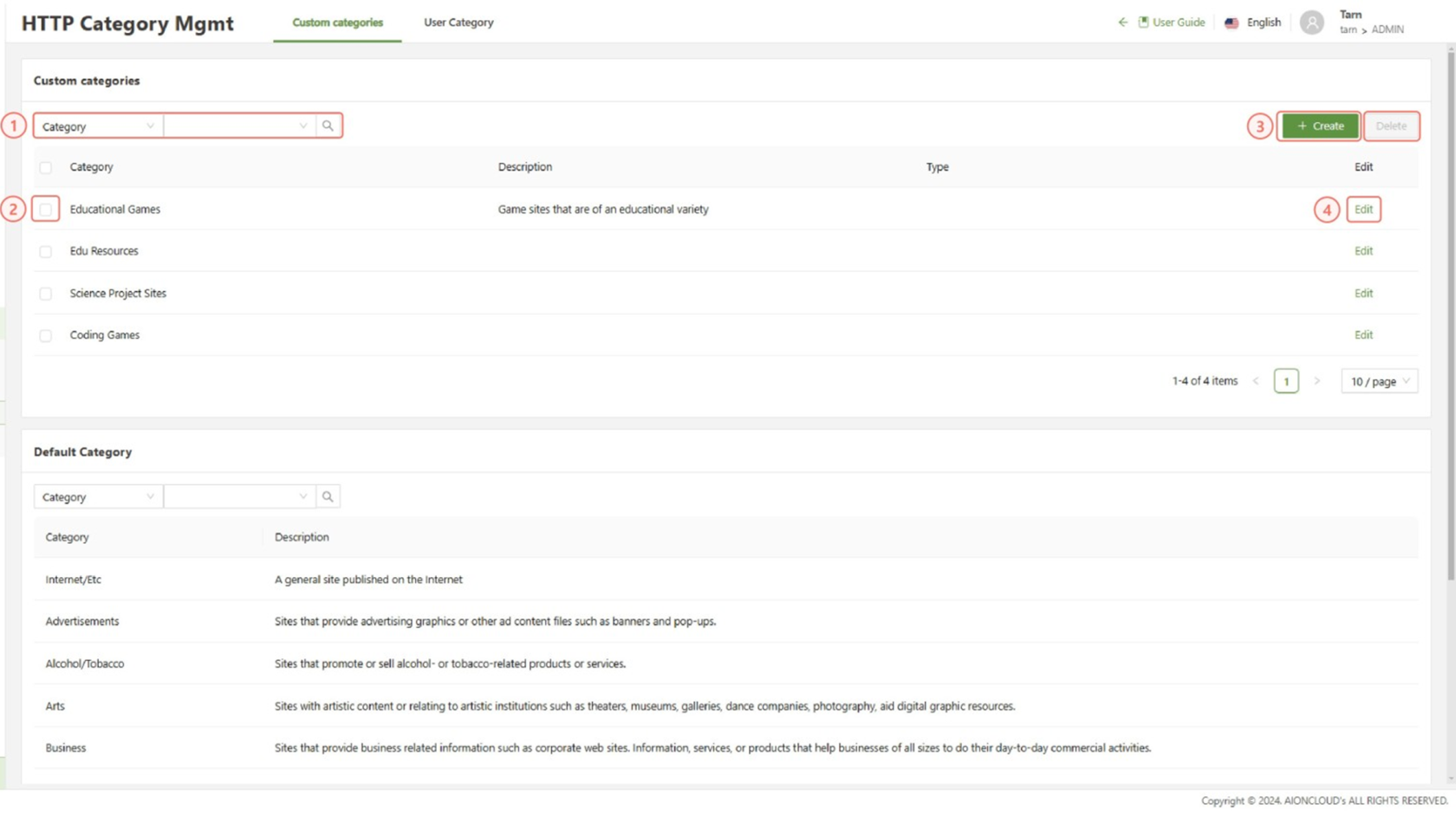
- Search: Used to filter the Custom and Default category lists respectively
- Checkbox: Used in conjunction with the delete button to delete a custom category
- Create: Opens the Create custom category form.
- Edit: Used to edit the specified custom category
Create custom category form
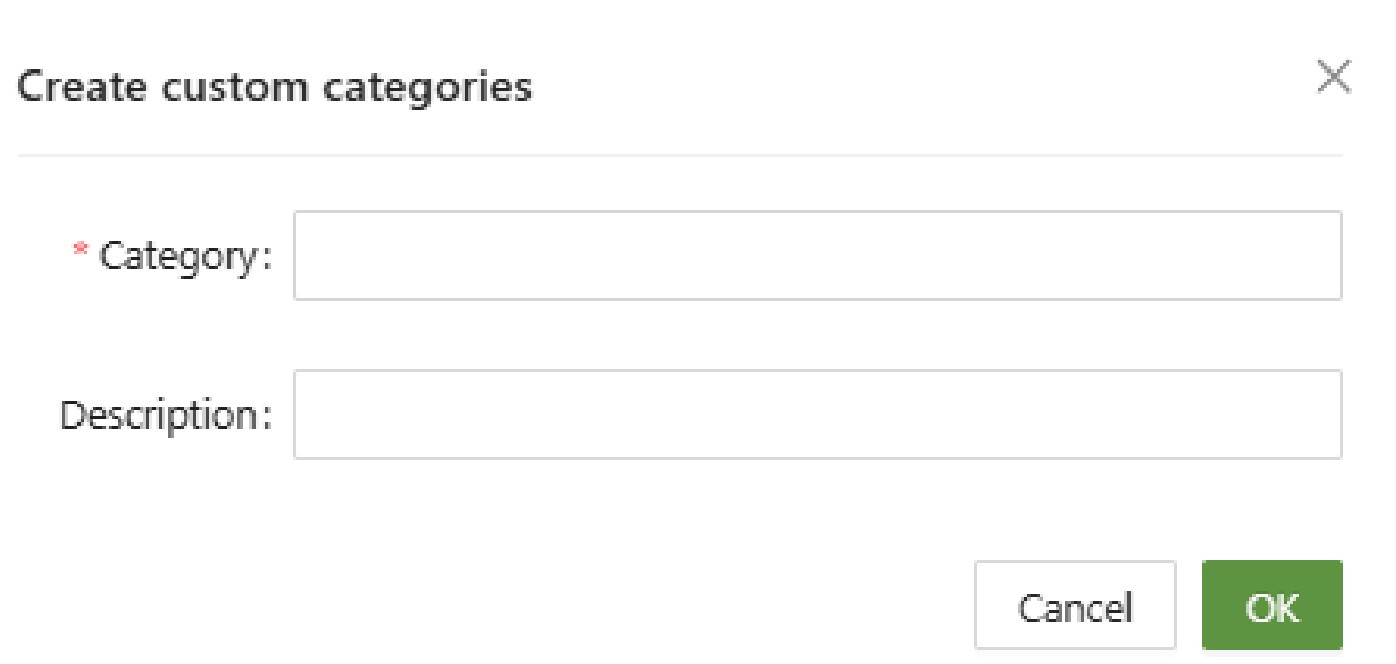
- Category (Unique): A unique name used as an identifier for the custom category
- Description: A short text description describing the category
User Category TAB
This sub section is used to add or exclude specific hosts or host groups to a custom or default category list as required.
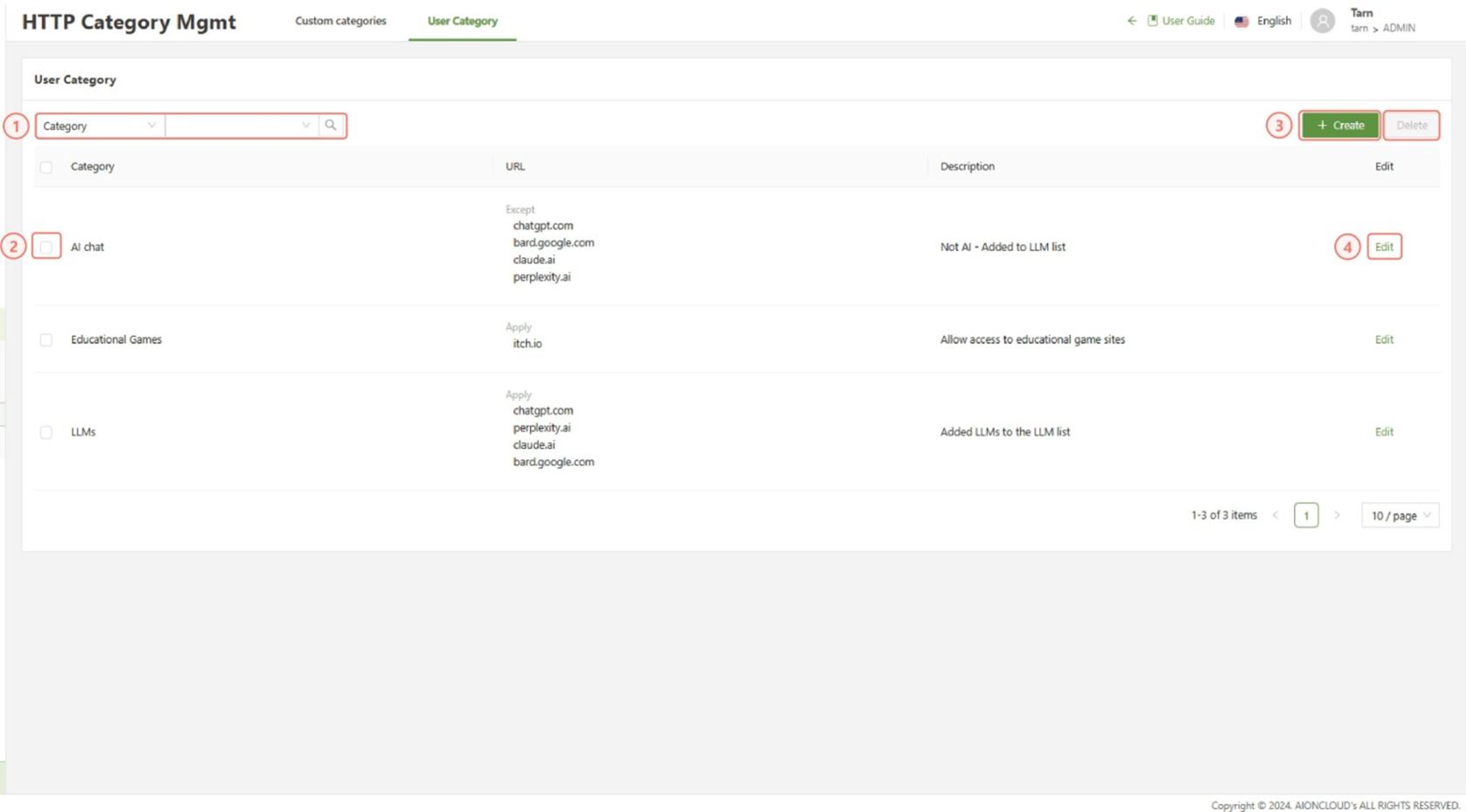
- Search: Used to filter the User category list.
- Checkbox: Used in conjunction with the delete button to delete a user category
- Create: Opens the Create User category form.
- Edit: Used to edit the User category
Create User Category Form
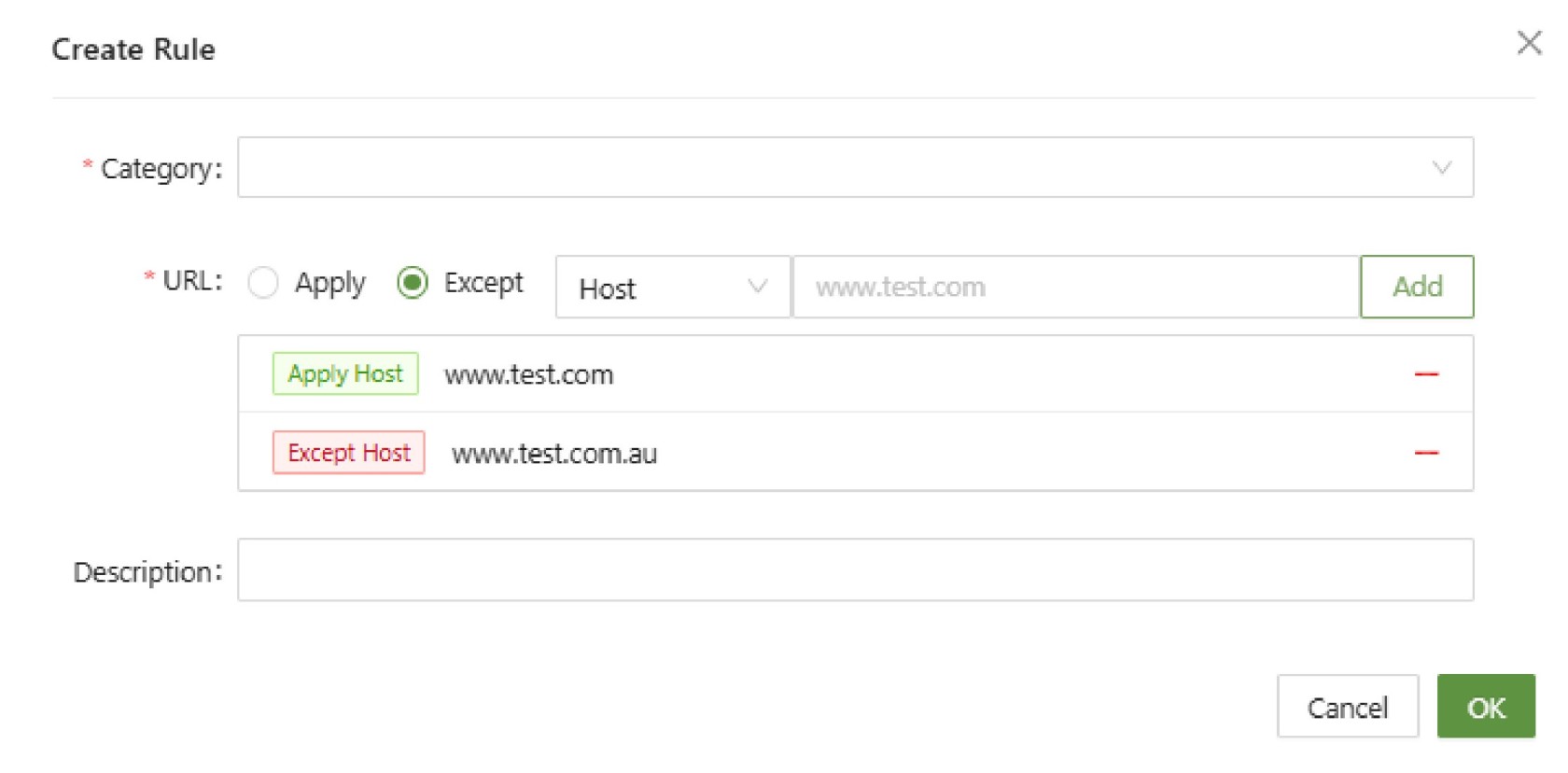
- Category: Select from a list of Custom or Default categories.
- URL: Select apply/except to include/exclude the specified Host/Host group from the category.
- Select the add button to add the host to the list.
- Description: A short description of the purpose of the rule
Application of HTTP Category
After setting up a custom category, it can be applied in any rule condition that uses HTTP categories.
These include:
- DNS Firewall Policies
- Web Policies
- RBI Policies
In any of these menus, simply click on HTTP Category and the custom category will be visible.