Group List CSV Upload Guide
Groups can be added externally via uploading CSV files directly into the group page. An important thing to note, however, is that each group type requires a specific formatting for the corresponding CSV file. If the format doesn't conform, the upload will fail.
Navigating to Download CSV Template inside of the "Import CSV" menu is the best way to access the required format for easy upload.
For each group type, the process is the exact same:
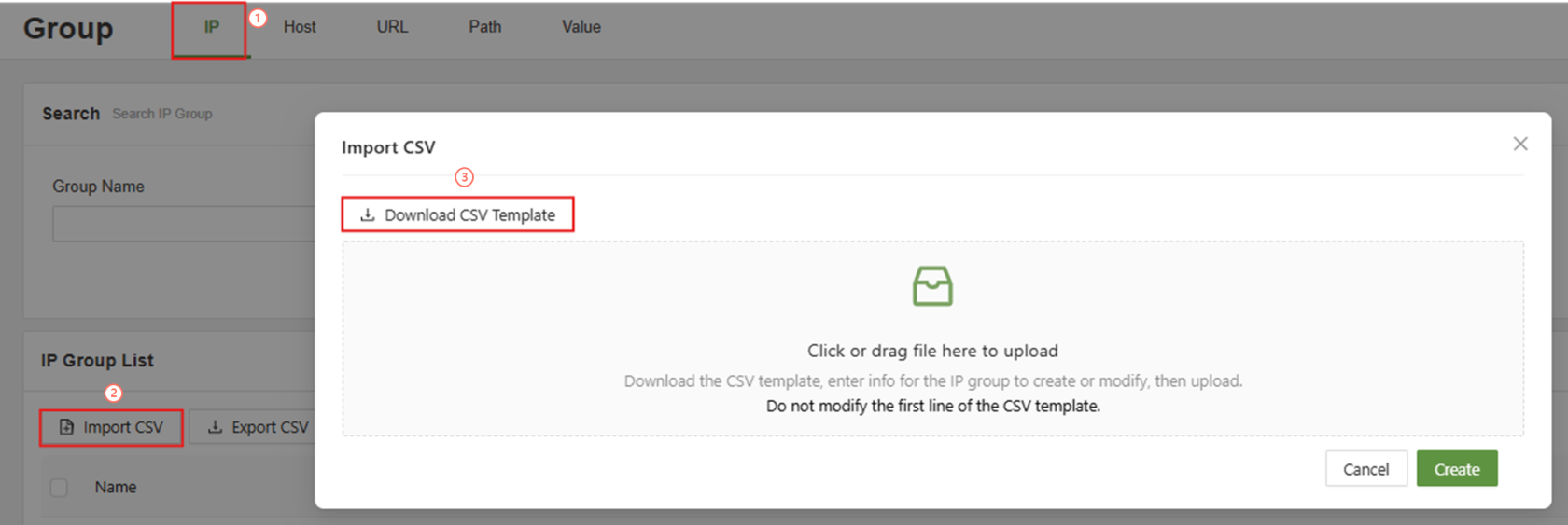
Download CSV template
If the correct template is applied, then simply clicking the upload file box will allow for the upload of a CSV file.
CSV Templates
When uploading CSV files, please follow the templates listed below. All groups will follow the same basic rules, and when uploading multiple groups at the same name, the name must be present for all values.
IP Group Template

Host Group Template

URL Group Template

Path Group Template

Value Group Template
