Global Certificate Configuration Guide
This page will detail the menus and configurations for the Invalid Certificates, Pass-Through, and Internal DNS functions.
Invalid Certificate
The Invalid Certificate tab has six main types of invalid certificate states to configure:
- Expired Certificate - Identify and control access to web servers with expired SSL/TLS certificates.
- Not Yet Valid Certificate - Identify and control access to web servers with SSL/TLS certificates that are not yet valid.
- Domain Name Mismatch - Identify and control SSL/TLS certificates with domain names that do not match the requested domain.
- Signature Mismatch - Identify and control SSL/TLS certificates with invalid or mismatched signatures.
- Not a Root CA - Identify and control SSL/TLS certificate chains with an invalid root certificate authority.
- Untrusted Issuer - Identify and control access to SSL/TLS certificates signed by untrusted issuer.
Clicking the EDIT button will allow for configuration of each type, choosing between Block, Allow, and Logging.
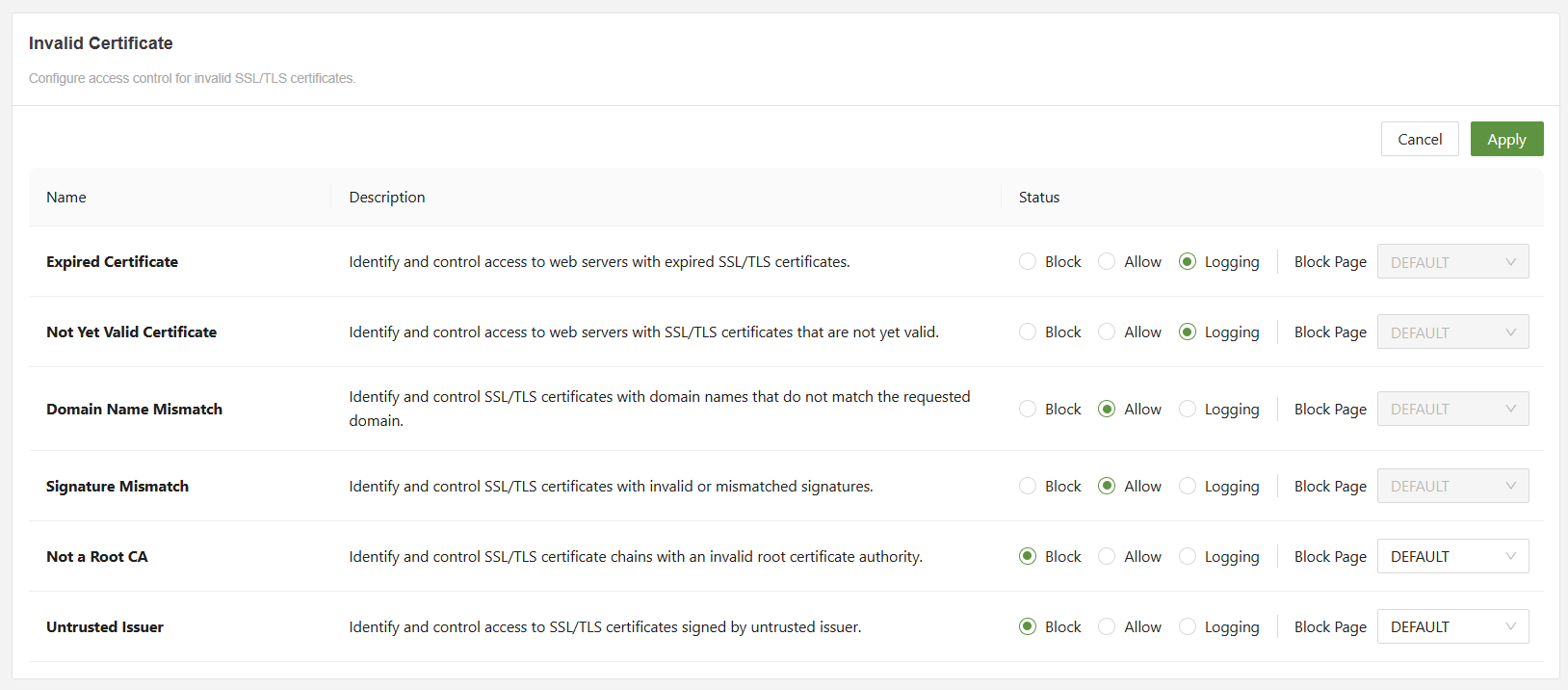
If the status is set to block, then a block page can be selected.
Block pages can be configured in the Block Page(Web) and Block Page(DNS) tabs in Global Security.
Pass-Through
Pass Through will let the administrator configure bypass to exclude certain traffic from TLS decryption and inspection. Bypass applies to ZTNA, Web, and CASB. It does not apply to Network level traffic.
There are four main path-through categories:
- Application - Preset applications such as Dropbox and WhatsApp
- FQDN - A fully qualified domain name
- Destination IP - The IP address of the destination
- Local IP - An IP address on the local network
Clicking on SETTINGS will allow for configuration of each category.
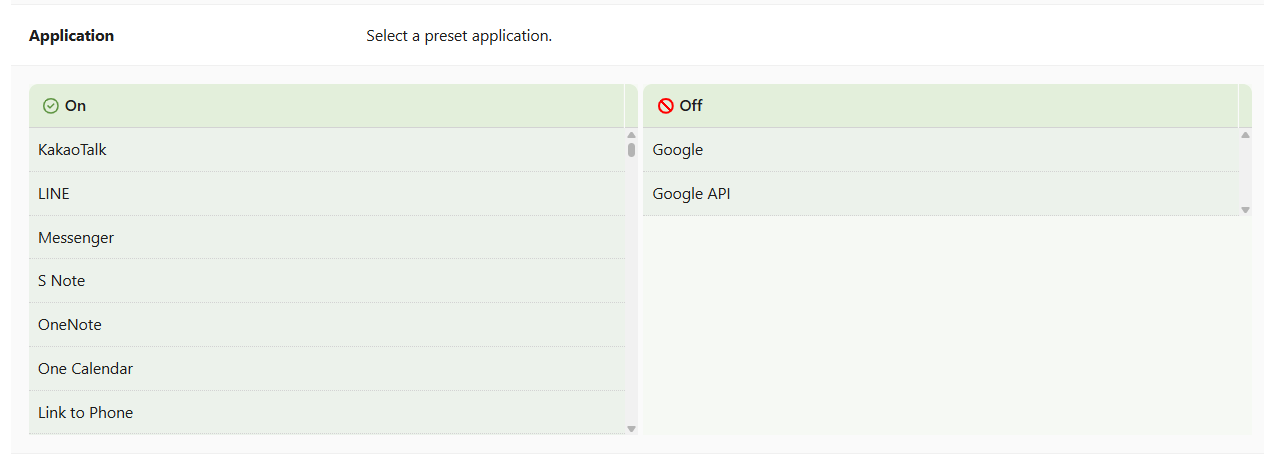
- ON = Bypassed
- OFF = Policy rules will be applied
Internal DNS
The SASE uses edge DNS servers by default.
If an organization uses an internal DNS server, they can configure it here by inputting the IP address of the server.
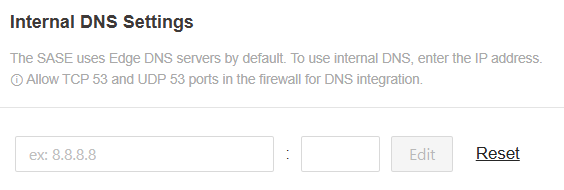
As it says in the tooltip on the console, make sure to allow TCP over port 53 and UDP over port 53 to allow for DNS integration.